Rating: 4.2/5
Planmeca Onyx Review
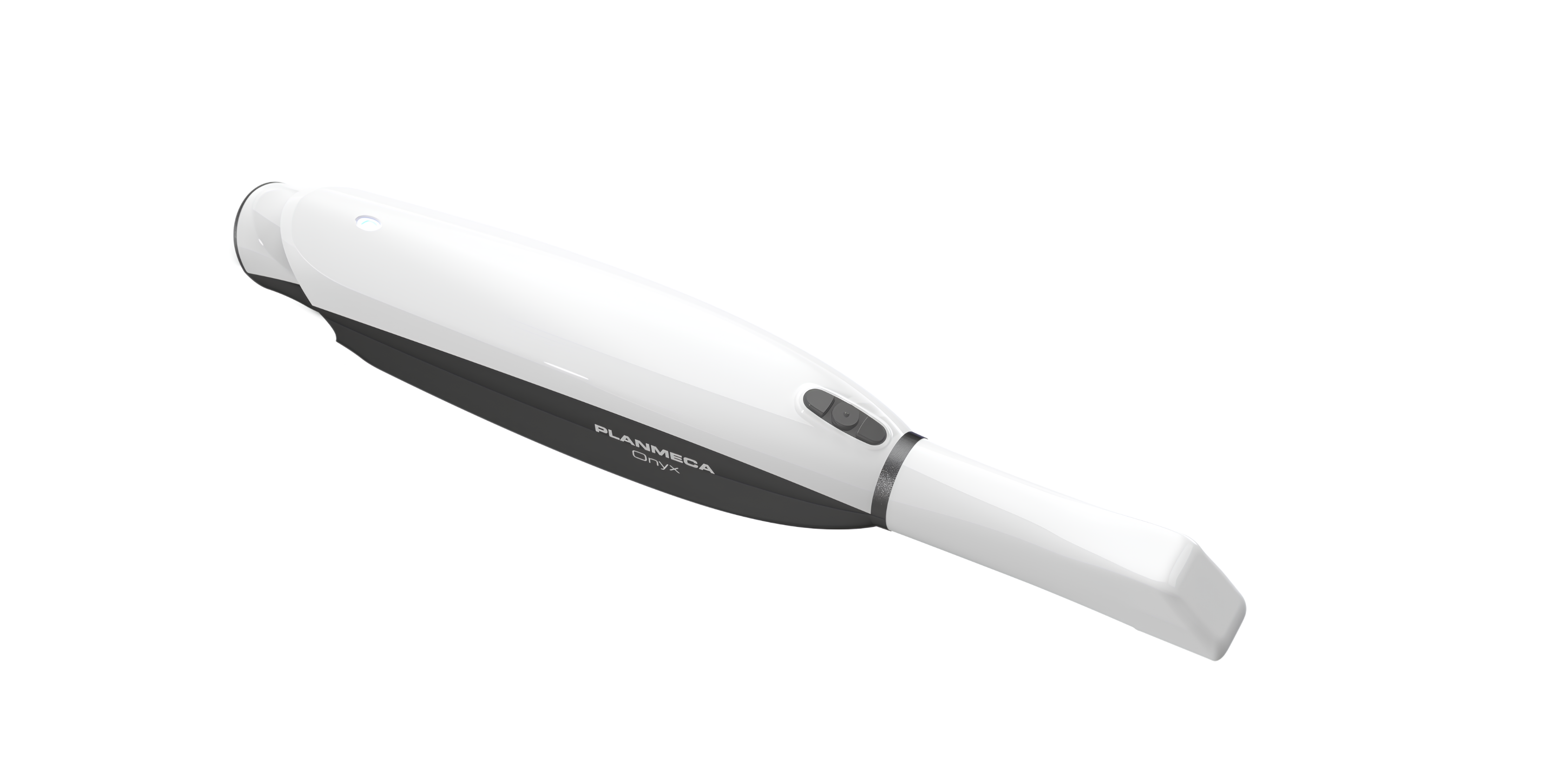
The Planmeca Onyx is a hybrid intraoral scanner that runs on battery or cable and captures scans directly inside Planmeca Romexis. This Planmeca Onyx review covers its optics,...
Reviewed by Rachel Thompson
Pros
- Wireless and wired operation in one handpiece, with three batteries included
- AutoMerge lets operators scan in any order and fill voids without restarting
- Native Romexis integration places scans beside CBCT and 2D images
- Open STL and PLY export without click fees
- Autoclavable Standard and SlimLine tips with usage-tracking chips
- Heated tip prevents fogging without air jets
Cons
- No independent peer-reviewed accuracy data yet
- Demanding workstation specification with a 12 GB graphics card
- No caries transillumination or near-infrared mode listed
- Edentulous ridge tracking needed second passes in testing
- Integration advantages shrink outside the Planmeca ecosystem
- No published list price, so comparisons require a distributor quote
The Planmeca Onyx is a hybrid intraoral scanner that runs on battery or cable and captures scans directly inside Planmeca Romexis. This Planmeca Onyx review covers its optics, workflow, a three-week clinical test, competitor comparisons and running costs, so clinicians can judge whether it suits their practice before booking a demo.
TL;DR
The short version for clinicians weighing a scanner purchase this year.
Onyx scans wirelessly for up to 45 minutes per battery and switches to a cable for long sessions.
Romexis stores each scan beside CBCT and 2D images, which shortens implant planning in Planmeca practices.
Planmeca exports STL and PLY files without click fees, so labs and aligner providers receive scans at no extra charge.
No independent accuracy study exists yet, so practices should validate their own full-arch and implant cases first.
Planmeca Onyx At A Glance
Planmeca unveiled Onyx at IDS 2025 in Cologne in March 2025, alongside the Onyx Lab desktop scanner and the Creo X printer, Planmeca press release. Orders opened in June 2026, and Planmeca now lists Onyx first in its intraoral scanner range, above the Emerald S. The figures below come from Planmeca's technical specifications.
Specification | Planmeca Onyx |
|---|---|
Scanning technology | Projected pattern triangulation with actively heated tip |
Light source | RGB LEDs |
Scanning software | Planmeca Romexis 6.5.2 or newer |
Operation | Wireless and wired |
Dimensions with tip and battery | 45 × 43 × 292 mm |
Weight, wireless | 286 g (10.1 oz) with tip and battery |
Weight, wired | 333 g (11.75 oz) with tip and cord |
Connectivity | LAN and Wi-Fi up to 6E |
Battery | 45 min scanning, 8 h standby, three batteries and charger included |
Data output | STL and PLY |
Scanning tips | Autoclavable, Standard and SlimLine sizes, usage memory chip |
Manufacturing | Helsinki, Finland |
Two specifications shape daily use more than the rest. The 286 g wireless weight sits slightly under the 308 g of the 3Shape TRIOS 6, while the requirement for a graphics card with 12 GB of video memory means many existing operatory computers will need replacing before installation.
Where Onyx Sits In Planmeca's Scanner Line
Onyx moves Planmeca away from the laser optics it used for almost a decade. The original Emerald arrived in 2017, and the faster Emerald S followed, both relying on RGB laser triangulation and a cable. Onyx switches to LED projected-pattern triangulation, adds an actively heated tip, and makes the cord optional.
The Emerald S remains on sale. Planmeca's Emerald S brochure lists a weight of 235 g with tip and a transillumination mode for caries detection. Onyx is heavier on battery, and its published specification does not mention transillumination, a point that matters for hygiene-led practices using the scanner as a diagnostic aid.
Feature | Planmeca Emerald S | Planmeca Onyx |
|---|---|---|
Light source | RGB lasers | RGB LEDs |
Operation | Corded | Wireless or corded |
Weight with tip | 235 g | 286 g with battery, 333 g with cord |
Segment stitching | Conventional sequence | AutoMerge, any order |
Transillumination | Yes | Not listed |
An Emerald S owner who scans in one fixed operatory gains mostly from AutoMerge and the newer optics. Practices that move a scanner between rooms gain considerably more.
How Planmeca Onyx Captures A Scan
Onyx's behavior in the mouth comes down to its optical engine and the stitching software sitting behind it.
LED Projected-Pattern Optics
Projected-pattern triangulation casts a known light pattern onto the tooth surface and calculates depth from the way that pattern deforms. Planmeca says the Onyx optics deliver notable scanning depth, which helps on tight interproximal contacts and subgingival margins where shallow optics force repeated passes. Depth also counts on posterior implant sites, where scan bodies can sit well below the occlusal plane of neighboring teeth.
Planmeca has not published field-of-view or frame-rate figures for Onyx. Direct optical comparisons with rival scanners are therefore not yet possible on paper.
AutoMerge And Any-Order Scanning
AutoMerge lets the operator capture segments in any sequence and in as many pieces as needed, and continuous tracking stitches them into one model. Most scanners expect a set path, usually an occlusal sweep followed by lingual and buccal passes. Losing tracking halfway through a sweep on those systems often means backing up to a registered area and starting again.
The benefit appears with patients who need breaks and with teams where a hygienist starts an arch that the dentist finishes later. Occasional scanners, such as associates who scan once a week, also climb the learning curve faster when sequence errors stop costing them a restart.
Heated Tip
The tip is actively heated to prevent condensation. Fogging blurs captures when a cool tip meets warm breath, and a heated tip removes the need for air jets or pre-warming routines between patients.
Wireless And Wired Operation
Onyx is a hybrid device. It weighs 286 g on battery and 333 g on its dedicated cable, which connects to a laptop through USB-C. Each battery provides 45 minutes of scanning and 8 hours of standby, and Planmeca ships a charging station with the kit.
A full-arch scan with bite registration typically needs only a few minutes of active capture, so one battery covers several patients. Rotation matters more than raw capacity here. With one battery in the handpiece and the others charging or waiting, a busy restorative day rarely forces the cable out of the drawer.
Network Requirements
Wireless performance depends on the clinic network. Onyx supports Wi-Fi standards up to 6E as well as wired LAN, and the scan can be mirrored on any Romexis workstation in the building.
Older access points and routers shared with guest Wi-Fi can both degrade the live preview. An IT check of signal strength in every operatory before installation is cheaper than discovering a weak room with a patient in the chair.
Multi-Room Workflow
Planmeca positions Onyx for large group practices and dental schools because the scan can be monitored from any computer on the clinic network. The scanner travels on a cart or in a holder, and the receiving operatory needs only a Romexis workstation to display the capture.
Scheduling becomes the limiting factor. One scanner shared across four busy restorative chairs will queue on peak days, so practices should size scanner numbers to their heaviest sessions instead of their weekly average.
Romexis And Planmeca PULSE Integration
Software integration is the strongest reason to choose Onyx over a similarly priced rival. Scanning runs entirely inside Planmeca Romexis version 6.5.2 or newer, so the intraoral scan lands in the same patient record as radiographs and CBCT volumes.
Implant Planning With CBCT
Practices running a Planmeca CBCT such as the Planmeca Viso G7 can merge the surface scan with the volume without exporting anything. Planmeca states that Romexis AI tools generate an implant plan proposal in a few seconds (Planmeca). For guided implant surgery, that shortens the route from scan to surgical guide, particularly when the guide prints in-house.
The clinician still reviews and edits every proposal. Sound implant treatment planning depends on prosthetic position and bone quality, and no algorithm weighs those perfectly. Once the plan is settled, the merged scan can be presented alongside the patient's dental treatment plan at a single consultation.
Chairside Milling And Printing
Within the Planmeca PULSE ecosystem, designs move directly to PlanMill milling units or the Creo X 3D printer. Practices already doing chairside milling can deliver crowns, inlays, onlays, and veneers in a single visit, with one vendor supporting the whole chain from scan to mill.
Open Files And No Click Fees
Planmeca states that Onyx shares scans in open STL and PLY formats entirely without click fees. STL files carry geometry only, whereas PLY files also keep the color information technicians use to read margins and shade.
Orthodontic practices should check aligner pathways before buying. Not every aligner brand accepts every scanner, and Invisalign compatibility in particular depends on Align's list of approved devices. Open export handles lab exchange well, but direct integration with each aligner portal needs confirming provider by provider.
Workstation And IT Load
Romexis runs locally on a master computer. Planmeca recommends a 13th-generation Intel i7 or newer, 32 GB of RAM, an NVIDIA RTX A3000-class graphics card with 12 GB of video memory, and Windows 11 Pro. Practices that have dealt with Romexis install errors on Windows 11 will know that update timing and version matching cause most of the trouble, and a dedicated workstation built to specification avoids much of it.
Ergonomics And Infection Control
Onyx was designed for long scanning days shared between several operators, and both handling and reprocessing reflect that.
Handling And Posture
At 45 × 43 mm in cross-section and 292 mm long, the handpiece suits a relaxed pen grip. Removing the cable eliminates the wrist drag that corded scanners create on distal molar and lingual passes. Pairing Onyx with the Planmeca Imprex mobile station lets the screen sit at eye level, which keeps the operator's neck closer to neutral, a core principle of dental ergonomics.
Tips, Sterilization And Traceability
Tips come in Standard and SlimLine sizes and are autoclavable. Planmeca says each tip can be reused hundreds of times and carries a memory chip that tracks its usage. For infection control audits, that log gives documented evidence of each tip's reprocessing history.
Two details need confirming in the instructions for use: the validated autoclave cycle and the exact maximum cycle count. Tip numbers also affect sterilization capacity, since a practice scanning 20 patients a day needs enough tips to cover the autoclave turnaround.
Clinical Test: Three Weeks With Planmeca Onyx
The DentalReviewed clinical team evaluated Onyx for three weeks in a four-operatory general practice that already used Planmeca imaging and Romexis. One scanner served all four rooms, and the evaluation covered 42 scans ranging from single crowns to full-arch orthodontic records.
Setup And First Days
Installation took most of a morning. The practice's existing laptop fell short of the graphics requirement and stuttered during full-arch capture, so the distributor supplied a workstation matching Planmeca's specification. Scanning ran smoothly in three rooms after the swap.
The fourth operatory sat two walls away from the nearest access point. Live preview lagged there, and the team scanned on the cable in that room for the first nine days until the practice installed a second access point.
A Single-Crown Restorative Case
A 52-year-old patient needed a full-coverage crown on a lower first molar with a distal margin about 0.5 mm subgingival after retraction cord. The dentist captured the preparation and opposing arch, recorded the bite, and only at the end went back to fill a void on the distal margin. AutoMerge placed that late segment without a restart. The lab-fabricated zirconia crown seated with minor occlusal adjustment, and both contacts passed floss with light resistance.
Implant And Orthodontic Scans
Six implant cases used scan bodies. In a two-implant lower posterior case, the scan merged with an existing CBCT volume in Romexis, and the team built a restoration-driven plan in one sitting. Tracking on edentulous ridges was less reliable. Flat, featureless mucosa broke tracking on two occasions, and both scans needed a second pass along the ridge crest.
Seven sets of orthodontic records went to an outside lab as STL files for aligner fabrication. The lab reported no file or import problems.
What Patients Said
Patient feedback centered on comfort. A 61-year-old with a strong gag reflex, who had refused PVS trays at a previous practice, completed both arches with two short breaks and said the warm tip felt less intrusive than she had expected. A 9-year-old scanned with the SlimLine tip for a space maintainer tolerated the appointment without distress.
Several adults asked to see their scan on the monitor. Those conversations about wear facets and recession came up naturally and supported case acceptance for two restorative plans.
Where It Struggled
The team logged two recurring frustrations. Edentulous tissue tracking was the first. The hygienists also missed a caries-screening light mode, having used transillumination on an older scanner. Battery life caused no problems, with each battery averaging about six full-arch scans before the swap prompt.
Test Results Summary
The table records what the team measured over the three weeks.
Measure | Result |
|---|---|
Total scans | 42 (18 full-arch, 11 single-unit, 6 implant, 7 orthodontic) |
Median full-arch time with bite, wireless | 5 min 10 s |
Full-arch scans per battery | About 6 |
Scans needing a second pass | 4 (2 edentulous ridge, 1 margin, 1 tracking) |
Operatories needing cable mode | 1, for the first 9 days |
Lab file issues | None reported |
Accuracy Evidence So Far
No independent, peer-reviewed trueness or precision study of Onyx had been published at the time of writing. That matters most for long-span implant work, where small stitching errors accumulate across the arch.
Earlier Planmeca scanners give context without predicting Onyx results. In a 2022 in vitro implant study, a Planmeca scanner recorded 42.1 µm trueness against 24.4 µm for iTero and 26.4 µm for Medit (Costa et al., Dentistry Journal, 2022). A separate seven-scanner comparison that included the Planmeca Emerald found laboratory scanners outperformed every intraoral scanner tested over long distances. Onyx uses a different optical engine, so these figures describe its predecessors only.
Operator technique and room conditions also influence results. One in-vitro study found that ambient light intensity in the operatory changed intraoral scan accuracy, so validation scans should follow the practice's normal lighting and scanning protocol.
Until independent data appears, a practical approach is to run Onyx alongside a familiar scanner or a conventional impression on a few full-arch and multi-implant cases, then compare the lab's fit reports.
Planmeca Onyx Vs Competitors
Onyx competes with premium scanners that carry longer clinical track records. The table compares manufacturer data.
Scanner | Connection | Weight | Software model | Notable feature |
|---|---|---|---|---|
Planmeca Onyx | Wireless or wired | 286 g with battery | Romexis, local, open STL and PLY | AutoMerge, heated tip |
3Shape TRIOS 6 | Wireless | 308 g | 3Shape Unite, open ecosystem | Hyperspectral capture, AI detection aid |
iTero Lumina | Wired wand | 45% lighter than Element 5D wand | iTero and Invisalign ecosystem | Capture depth up to 25 mm |
Dentsply Sirona Primescan 2 | Wireless | Not stated by manufacturer | Cloud-native DS Core | Scans in a web browser |
Medit i900 | Wired, Mobility version wireless | About 100 g lighter than i700 | Medit Link, open STL | Low entry price |
Onyx Vs 3Shape TRIOS 6
The 3Shape TRIOS 6 adds hyperspectral capture with near-infrared imaging, plus AI-assisted detection through TRIOS Dx Plus. 3Shape notes that TRIOS Dx is not FDA-cleared for clinical use in the US. Its US webshop lists an optional TRIOS Care plan at $219 per month. TRIOS has the larger published accuracy record, while Onyx offers deeper imaging integration for Planmeca owners.
Onyx Vs iTero Lumina
The iTero Lumina remains the default choice for Invisalign-heavy orthodontic practices. Align cites a capture depth of up to 25 mm, and some Lumina features require an active service plan. Mixed practices sending aligners to several brands may find Onyx's open export a better match.
Onyx Vs Dentsply Sirona Primescan 2
Primescan 2 takes the opposite approach to data storage. It is cloud-native and scans through DS Core on any internet-connected device. Onyx keeps data local on a master computer, which suits practices with strict data-residency policies or unreliable internet connections.
Onyx Vs Medit i900
The Medit i900 family competes on purchase price and open architecture. Practices that only send STL files to one lab and do not own Planmeca imaging will find Medit hard to match on cost, and DentalReviewed's guide to budget intraoral scanners covers that tier in more depth.
Getting Started With Planmeca Onyx
Most first-month scanner frustrations trace back to setup and team habits. Practices that plan the rollout tend to adopt Onyx faster.
Train Two Scanning Leads
Choosing two team members, usually a dentist and an assistant or hygienist, to learn the scanner first creates in-house trainers. Planmeca and its distributors offer in-office and online training, and booking it for the first week keeps early cases on track. The leads can then coach colleagues during real appointments, which tends to stick better than one group session.
Start With Low-Stakes Cases
Orthodontic records and night guard scans make good first cases, because a minor stitching error rarely changes the outcome. Single-unit crowns come next. Full-arch implant work should wait until the team scans confidently and has checked accuracy against a known reference.
Set Up Tip And Battery Routines
A simple routine prevents mid-appointment surprises. One person can move charged batteries to the scanner cart each morning, and a tip count posted near the autoclave tells the team how many sterile tips are ready before the schedule fills. The tip memory chips make it easy to retire tips that reach their cycle limit.
Use The Scan In Case Presentation
Showing patients their own scan on the operatory monitor turns abstract findings into something visible. Wear facets and recession show clearly in color, and Romexis can place the scan next to radiographs during the same visit. Treatment coordinators can then refer back to the scan when walking patients through costs and phasing.
Cost Of Ownership And Return On Investment
Planmeca does not publish a list price for Onyx. Local distributors quote it, often as part of a bundle.
In North America, Planmeca advertises bundle pricing that pairs Onyx with the Creo X printer, a PlanMill 35 or 60 S, or both, along with a free Romexis 7 upgrade for most buyers. Institutional, school, government, and national DSO accounts are excluded from the upgrade offer, which matters for DSOs negotiating group pricing.
What To Include In The Quote
A written quote should itemize every cost line, since several sit outside the scanner box.
Master workstation that meets the graphics and memory specifications
Romexis modules beyond scanning, such as restoration design and implant planning
Replacement tip and battery pricing, plus the validated tip cycle limit
Warranty length, extension options and registration requirements
Wi-Fi or LAN upgrades for operatories far from the router
Planmeca USA lists out-of-warranty phone support at $65 per 30-minute session, a cost worth budgeting once the warranty ends.
Estimating Return On Investment
Chair time usually drives the return more than impression material, with aligner starts and same-day restorations adding revenue on top.
As an illustration, a practice taking 40 impressions a month that saves 15 minutes per case frees 10 chair hours monthly. At a production value of $400 per hour, those hours are worth $4,000 a month before any material savings. Each practice should substitute its own volume and hourly figures.
Who Should Buy The Planmeca Onyx
Onyx suits some practice profiles far better than others.
Strong Fit
Practices already running Planmeca CBCT or Romexis gain the most, because scans join existing records without new software. Multi-chair clinics sharing one scanner benefit from wireless mobility and network mirroring. Dental schools and DSOs standardizing on Planmeca hardware also fit well.
Weaker Fit
Invisalign-centered orthodontic practices will usually find the iTero route simpler. Hygiene-led practices wanting built-in caries screening should look at scanners with near-infrared or transillumination modes. Clinics needing only low-cost STL export to a single lab can spend considerably less elsewhere.
What To Test During A Demo
A distributor demo is the only accuracy check available until independent studies are published, so it is worth structuring carefully. Bringing real cases from the practice schedule gives far more useful information than scanning a typodont supplied by the rep.
Scan a multi-unit implant case with scan bodies and send it to the usual lab for a fit report
Capture a full arch with bite on a patient who gags easily and time it
Test live preview in the operatory farthest from the router
Export STL and PLY files to the practice's aligner provider and confirm they import cleanly
Bottom Line
Planmeca Onyx is a capable hybrid scanner built around Romexis, and it delivers most value to practices already invested in Planmeca imaging. Its wireless flexibility and fee-free file sharing work well in multi-room clinics, where one scanner can serve several chairs and any networked workstation can display the capture.
For implant-focused practices with a Planmeca CBCT, integration is the deciding factor. Merging the surface scan with the volume inside one patient record shortens the path to a surgical guide, and a PlanMill or Creo X can then finish the work in-house. Practices without Planmeca imaging lose much of that advantage and should compare Onyx directly with TRIOS 6 and the Medit i900 on price and lab connectivity.
Two open points remain. No independent accuracy study has been published, and the specification lists no caries-screening mode. Long-span implant and full-arch prosthodontic cases should be validated against a known reference before Onyx replaces conventional impressions for that work, and hygiene teams that rely on transillumination may want to keep their current device in service alongside it.
The practical next step is a structured demo using the practice's own patients. That means scanning a difficult implant case and sending the files to the usual lab and aligner provider for review, while also checking live preview in the operatory farthest from the router. An itemized quote covering the workstation, Romexis modules, replacement tips, and warranty should be in hand before signing.
Verdict
<p>Planmeca Onyx is a well-engineered scanner whose value depends heavily on what already sits in the practice. In a clinic running Romexis and a Planmeca CBCT, it removes real friction. Scans land beside the CBCT volume, and implant planning happens inside a single record. A hygienist can start an arch in one room, and the dentist can finish it in another without restarting.</p><p>The hybrid design solves the battery anxiety early wireless scanners created. Patients who gag or need breaks tolerate it well, helped by the heated tip and AutoMerge, and the clinical test confirmed this with a patient who had refused trays elsewhere. Autoclavable tips that log their own cycles make reprocessing straightforward.</p><p>No independent accuracy data exists yet, so long-span implant and full-arch prosthodontic cases deserve parallel validation before Onyx becomes the sole impression method. Edentulous tissue needed second passes during testing. The specification lists no caries-screening mode, an area where TRIOS 6 and iTero Lumina Pro compete strongly.</p><p>For Planmeca-equipped clinics, including multi-chair practices and dental schools, Onyx earns a strong recommendation. Practices outside that ecosystem should demo it against TRIOS 6 or Medit before committing.</p>
Frequently Asked Questions
What is the Planmeca Onyx?
Planmeca Onyx is an intraoral scanner from Finnish manufacturer Planmeca. It captures 3D digital impressions using LED projected-pattern triangulation, runs inside Planmeca Romexis and works wirelessly or with a cable.
When did the Planmeca Onyx become available?
Planmeca first showed Onyx at IDS 2025 in Cologne. Orders opened in June 2026 through local Planmeca distributors.
Is the Planmeca Onyx wireless?
Yes. Onyx operates over Wi-Fi up to 6E or through a dedicated cable connected by USB-C, and the operator can switch modes between cases.
How long does the Planmeca Onyx battery last?
Each battery gives up to 45 minutes of active scanning and 8 hours of standby. Three batteries and a charging station come with the scanner.
How much does the Planmeca Onyx weigh?
Onyx weighs 286 g with tip and battery, or 333 g with tip and cord. It measures 45 × 43 × 292 mm.
How much does the Planmeca Onyx cost?
Planmeca does not publish a list price. Distributors quote it individually, often bundled with PlanMill mills or the Creo X printer.
Does the Planmeca Onyx charge click fees?
No. Planmeca states that scans can be shared in STL and PLY formats entirely without click fees.
What software does the Planmeca Onyx use?
Onyx scans within Planmeca Romexis 6.5.2 or newer. The same software handles CBCT, 2D imaging, implant planning and restoration design.
Can the Planmeca Onyx be used for clear aligners?
Yes. Orthodontics is a listed indication, and scans can be exported as STL files. Practices should confirm that their preferred aligner provider accepts Onyx scans.
Are Planmeca Onyx scanning tips autoclavable?
Yes. Tips are autoclavable and reusable, and each has a memory chip that tracks usage. Standard and SlimLine sizes are available.
What computer does the Planmeca Onyx need?
Planmeca recommends an Intel i7 13th generation or newer, 32 GB RAM, a 512 GB SSD, an NVIDIA RTX A3000 or better with 12 GB of video memory and Windows 11 Pro.
How does the Planmeca Onyx differ from the Emerald S?
Onyx adds wireless operation and AutoMerge any-order scanning, and it replaces lasers with LED optics and a heated tip. The Emerald S is corded, uses RGB lasers, weighs less and offers transillumination for caries detection.