Does Your Dental Practice Need A 3D Dental Printer?
A 3D dental printer builds models, guides, and appliances in your office instead of an outside lab. Whether your practice actually needs one depends on case volume and use case,...
Written by Rachel Thompson
Read time: 6 min read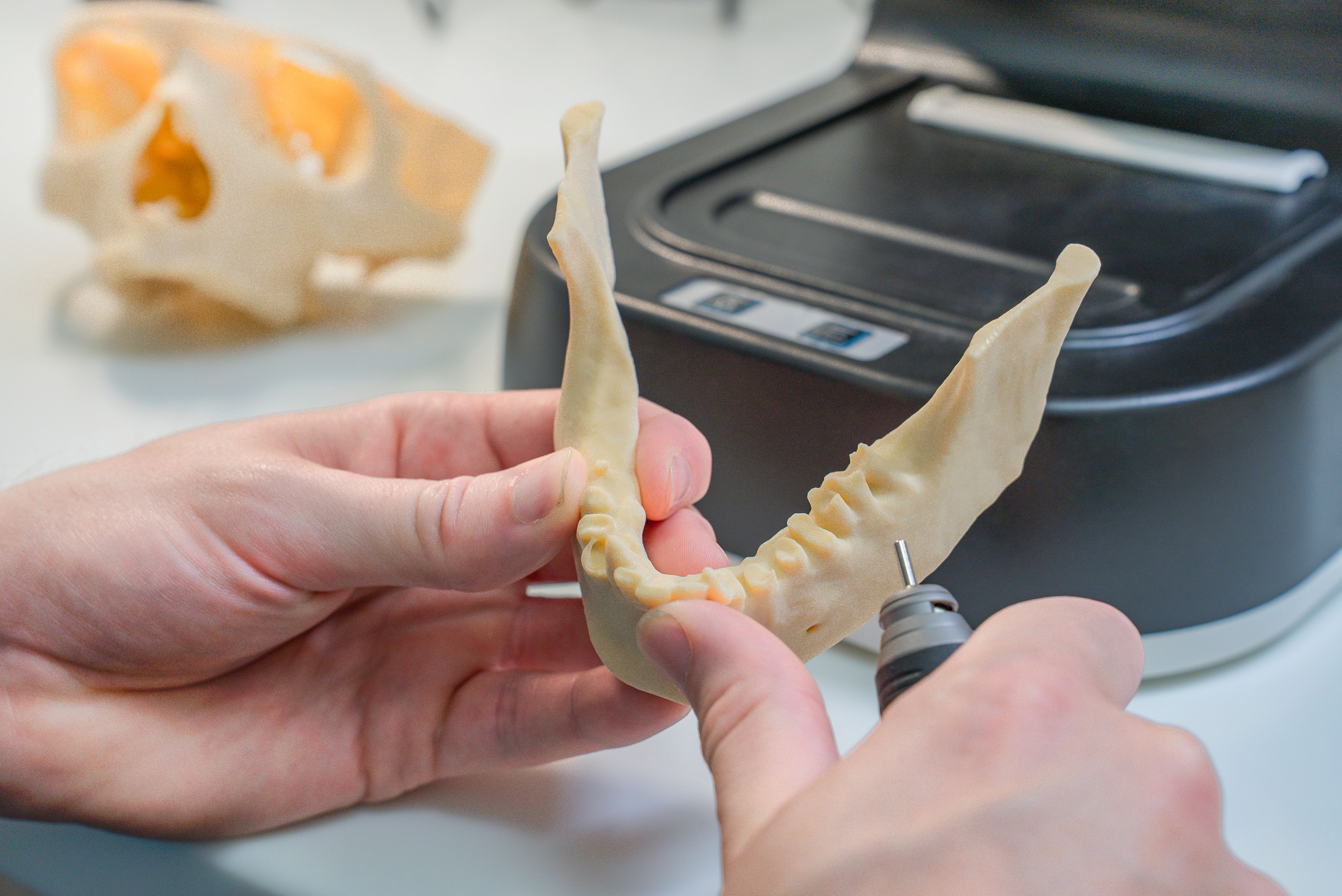
A 3D dental printer builds models, guides, and appliances in your office instead of an outside lab. Whether your practice actually needs one depends on case volume and use case, not on which brand is most familiar. This guide breaks down what one does, what it costs, and how to decide.
TL;DR
A dental 3D printer builds models, guides, night guards, and aligners in-house from a digital scan.
Entry machines start under $1,500, clinic-grade systems typically run $10,000 to $20,000 all-in.
Most practices outsource metal work and high-volume aligner production rather than buying industrial equipment.
The right printer depends on case volume, not brand name.
What Is A Dental 3D Printer?
A dental 3D printer builds a physical object one thin layer at a time, following a digital design file. It replaces the step where a practice sends a scan or impression to an outside lab and waits days for a finished piece.
Most dental machines use liquid resin cured by light rather than plastic filament, since resin gives the fine detail a tooth or gum surface needs. The printer sits between the intraoral scanner that captures the patient's mouth and the finished object that ends up on the operatory tray.
The word printer undersells what is actually happening. A dental 3D printer is really a small manufacturing station, printer, resin, wash unit, and curing light working together as one system. Buying just the printer without budgeting the rest of that station is the most common mistake first-time buyers make, and it is worth understanding before comparing specific models.
Every printed object starts as a digital file, not a physical mold. That distinction matters clinically. A digital file can be stored, reprinted, or slightly adjusted without asking the patient back for another impression, which is a real shift from how models and appliances were produced for decades.
In everyday use, a dental 3D printer produces objects a general practice recognizes immediately.
Study and diagnostic models of a patient's teeth
Surgical guides that direct implant placement
Night guards and occlusal splints
Aligner molds and orthodontic retainers
Temporary crowns and provisional restorations
Not every one of these outputs carries the same regulatory weight. A study model has no contact requirement beyond dimensional accuracy, while a night guard or temporary crown sits directly against oral tissue and needs a resin cleared for that contact. This distinction, model-only versus patient-worn, comes up again later when weighing specific machines.
Resin printing is the common type in dentistry, but it is not the only one. Metal printers exist for cast frameworks, and the underlying light technology varies between machines. Dental Reviewed's full explainer on 3D printing in dentistry covers the technical differences between printer types for anyone who wants that level of detail.
What A Dental 3D Printer Does Day-to-Day
The workflow follows the same basic sequence regardless of which printer sits in the office. Understanding that sequence matters more than memorizing spec sheets when deciding whether printing fits your practice.
A clinician scans the patient, designs the case in software, and sends the file to the printer. The object prints over several hours, often overnight, then gets washed and cured before it is ready to use. A model that once took a week to arrive from an outside lab can be ready the next morning.
The print itself is usually the fastest part of the workflow, not the slowest. A single arch of models can print in under an hour on a fast machine. The steps before and after printing, scanning, designing, orienting the file, then washing and curing afterward, add up to more total time than the print run itself. Practices already running broader CAD/CAM workflows tend to absorb printing into existing routines faster, since the design software skills transfer directly.
Washing and curing deserve particular attention, since skipping or rushing either step is the most common reason a printed part fails clinically. Uncured resin left on a surface is still an irritant, and a part that has not fully cured will not hold the strength the resin manufacturer tested for. Following the resin's published wash time and cure settings exactly, rather than estimating, protects both the part and the patient.
Not every use case belongs in-house from day one. Models, night guards, and simple guided implantology guides are realistic starting points for a small practice. Metal frameworks and high-volume clear aligner manufacturing usually stay outsourced, since the equipment for those jobs costs far more and demands specialized handling.
Practices that also run chairside milling often use both methods side by side, milling for strength-critical restorations and printing for models, guides, and appliances where speed and detail matter more than material strength. The two methods are not competitors so much as tools suited to different jobs within the same practice.
How Much Does A Dental 3D Printer Cost?
Pricing splits into three rough bands. Entry, model-only machines start under $2,000, but they lack validation for anything a patient wears in the mouth. Clinic-grade systems built for daily use run roughly $7,000 to $20,000 once post-processing equipment is included.
Industrial multi-material systems used by large labs climb well into six figures. Most general practices never need that tier, and outsourcing complex or high-volume jobs stays cheaper than owning that equipment.
The gap between the entry and clinic-grade bands is not really about print quality on a model. Both tiers can produce a clean, accurate study model. The gap is about validation and support, whether the manufacturer has tested and cleared specific resins for patient contact, and whether the practice gets a service plan and training when something goes wrong. Paying for the clinic-grade tier is largely paying for that validation and support structure, not for a sharper print.
The sticker price on a printer is never the full cost. Resin, wash and cure units, replacement tanks, and a service plan typically add 30 to 50 percent on top of the printer alone. Resin itself becomes the largest recurring cost once a practice is printing regularly, and per-liter pricing varies significantly between a printer's proprietary resin and open-system third-party options.
A practice comparing costs should also factor in what it currently pays an outside lab, since that ongoing expense is the number a printer purchase is actually competing against, not a hypothetical zero. Dental Reviewed's Best Dental 3D Printer guide has the current price list broken down by tier, with specific models and exact figures, worth checking before you budget a purchase.
Practices weighing a printer purchase against other capital costs, including a dental treatment plan system or new operatory equipment, should treat the printer as one line item in a broader technology budget rather than an isolated decision.
SprintRay And Phrozen, Two Ends Of The Range
Two brand names come up constantly in dental printing conversations, and they sit at opposite ends of the price and use-case spectrum. Looking at both briefly shows what the range actually buys, without turning this into a full product review.
SprintRay built its reputation on chairside dental printing specifically, with printers designed to run in an operatory without a dedicated lab technician. The company's machines fall in the clinic-grade band, and its resin library covers biocompatible indications like crowns, guides, and splints. The system leans toward a closed ecosystem, meaning it works best with SprintRay's own validated resins rather than third-party alternatives, which trades some flexibility for a simpler support experience. Dental Reviewed's full Best Dental 3D Printer comparison reviews specific SprintRay models in depth.
Phrozen sits at the budget end. Its printers produce excellent dental models and study casts at a fraction of clinic-grade pricing, but Phrozen machines are not validated for biocompatible, intraoral use. That is not a flaw so much as a design choice. Phrozen built its printers for the broader hobbyist and prototyping market first, and dental practices adopted them specifically for the model-printing niche where clinical validation is not required. A Phrozen printer works well as a dedicated model printer running alongside a clinically validated machine, not as a replacement for one. The same comparison guide covers where Phrozen fits against SprintRay and other options in detail.
The gap between these two brands is a useful shortcut for understanding the whole market. Every printer worth considering sits somewhere on that same spectrum, closed-ecosystem and clinically validated on one end, open and budget-focused on the other, with most mid-range machines borrowing some of each.
Is In-House Printing Worth It For Your Practice?
Case volume drives this decision more than any other factor. A practice sending out fewer than 5 to 10 printable cases a month usually finds outsourcing cheaper than owning and maintaining a printer.
Above that volume, an in-house printer often pays for itself within 18 to 24 months through saved lab fees alone. That payback period assumes reasonably consistent use. A printer sitting idle most weeks takes much longer to pay back than the average timeline suggests, regardless of how capable the machine is on paper.
A few questions clarify where a specific practice lands.
What does the practice currently spend on outside lab fees for models, guides, and splints each month?
Does someone on staff have time to run scans, design files, and manage post-processing?
Is there bench space with ventilation for resin handling and curing equipment?
Is the team comfortable with a learning curve during the first few months?
Staff time is the question practices most often underestimate. Printing is not simply pressing a button. Someone needs to own scanning, file design, print monitoring, and post-processing as a real part of their week. Practices that assign this role clearly, rather than treating it as something anyone picks up when they have a spare moment, report a smoother transition and fewer failed prints.
Most practices start with one narrow use case rather than buying for every indication at once. Night guards and diagnostic models are common starting points, since the resins involved are simpler and the failure cost of a bad print is low. Expanding into surgical guides or aligner production usually comes later, once the team has a few months of routine printing experience.
A single narrow use case does not always justify the investment on its own for a practice with modest volume. Stacking two or three modest use cases – night guards, retainers, and diagnostic models together, is a common way to reach a volume that makes the purchase worthwhile sooner.
Getting Started With Dental 3D Printing
A few practical checks before buying save headaches later. Confirm the printer supports biocompatible, FDA-cleared resins if the practice plans to print anything a patient wears in the mouth, not just models.
Confirm the practice already has, or plans to add, an intraoral scanner, since the printer is only useful with a digital file feeding it
Check available bench space and ventilation, since resin handling needs both
Ask whether the printer uses a closed resin system tied to one manufacturer or an open system that accepts third-party resin
Budget training time, most practices need several weeks of routine use before printing feels efficient rather than effortful
Vendor demos are worth the time investment before buying. Watching a machine run a real case, not a canned demo file, gives a clearer sense of actual print time, noise level, and how much hands-on attention the workflow needs than any spec sheet can. Asking to see the wash and cure steps as well as the print itself catches details that marketing material tends to skip over.
Service and training should factor into the decision as heavily as hardware specs. A printer with excellent resolution numbers is a poor investment if the manufacturer has thin US support or a slow parts pipeline. Asking current owners about their experience with support response times, not just print quality, gives a more complete picture than reviews focused purely on output. Practices outfitting a new operatory from scratch can fold the printer into a broader dental equipment checklist rather than treating it as a standalone purchase.
Once a practice knows it wants a printer, the next step is comparing specific models against the specific case mix planned for it. Dental Reviewed's Best Dental 3D Printer guide ranks the top options for clinics and labs with full specs and pricing. Labs specifically, rather than chairside practices, may get more direct value from the Best Resin 3D Printers For Dental Clinics guide, which weighs throughput and material flexibility more heavily than chairside speed.
Common Mistakes First-Time Buyers Make
A few patterns show up repeatedly among practices that regret their first dental 3D printer purchase. Watching for these directly improves the odds of a smooth first year.
Buying for every possible use case instead of the two or three that actually match current volume
Underbudgeting resin, tanks, and service as ongoing costs rather than one-time expenses
Skipping the vendor demo and buying from a spec sheet alone
Assuming any staff member can absorb printing duties without a real-time allocation
Choosing a closed, single-resin system without checking whether that manufacturer's resin lineup covers every planned use case
The underbudgeting mistake deserves particular attention, since it is the one that most often sours an otherwise reasonable purchase. A practice that budgets $10,000 for the printer alone and discovers another $4,000 to $6,000 in required accessories after the fact ends up feeling misled, even when the total cost was predictable from the start. Requesting a full system quote, printer, post-processing, and first year of resin, before signing, avoids that surprise entirely. Folding the printer into a wider equipment checklist for the practice keeps this cost visible alongside everything else being budgeted at the same time.
Bottom Line
A dental 3D printer is a practical tool for producing models, guides, and appliances without waiting on an outside lab. It is not a novelty purchase, and it is not automatically the right investment for every practice either.
The right fit depends on case volume, available staff time, and which specific use cases matter most, not on which brand name is most familiar. A practice that starts with one use case, confirms the resin and workflow fit, and expands from there tends to get more value than one that buys the most expensive machine on the market first.
Frequently Asked Questions
What is a dental 3D printer?
A dental 3D printer builds a physical dental object, a model, guide, or appliance, one thin layer at a time from a digital design file. It replaces sending a scan or impression to an outside lab and waiting for the finished piece to arrive.
How much does a dental 3D printer cost?
Entry, model-only machines start under $2,000. Clinic-grade systems built for daily biocompatible use run roughly $7,000 to $20,000 once resin, post-processing equipment, and a service plan are included. Industrial multi-material systems climb into six figures, though most general practices never need that tier.
What is the best dental 3D printer?
There is no single best printer, since the right choice depends on case mix, volume, and budget. Dental Reviewed's Best Dental 3D Printer guide ranks the top 10 options for clinics and labs with full specs, pricing, and pros and cons for each.
What is the best 3D printer for dental labs?
Labs weigh throughput and material flexibility more heavily than chairside practices do. Dental Reviewed's Best Resin 3D Printers For Dental Clinics guide covers the top lab-focused options, including high-volume and open-material machines.
Is SprintRay or Phrozen better for a small practice?
SprintRay is built for chairside, biocompatible printing, crowns, guides, splints, all validated for patient use. Phrozen is a budget option best suited to dental models and study casts, not appliances a patient wears in the mouth. Most small practices that want one all-purpose printer choose the SprintRay tier, and add a Phrozen-style machine later if model volume justifies a dedicated second unit.
Do all dental practices need a 3D printer?
No. Practices sending fewer than 5 to 10 printable cases a month to an outside lab typically find outsourcing cheaper than owning and maintaining a printer. Above that volume, in-house printing often pays back within 18 to 24 months through saved lab fees.