Best Resin 3D Printers For Dental Clinics In 2026
The best dental resin 3D printer turns a digital scan into a finished model, guide, or appliance in minutes. Picking the right resin 3D printer for dental work comes down to...
Written by Maren Solvik
Read time: 9 min read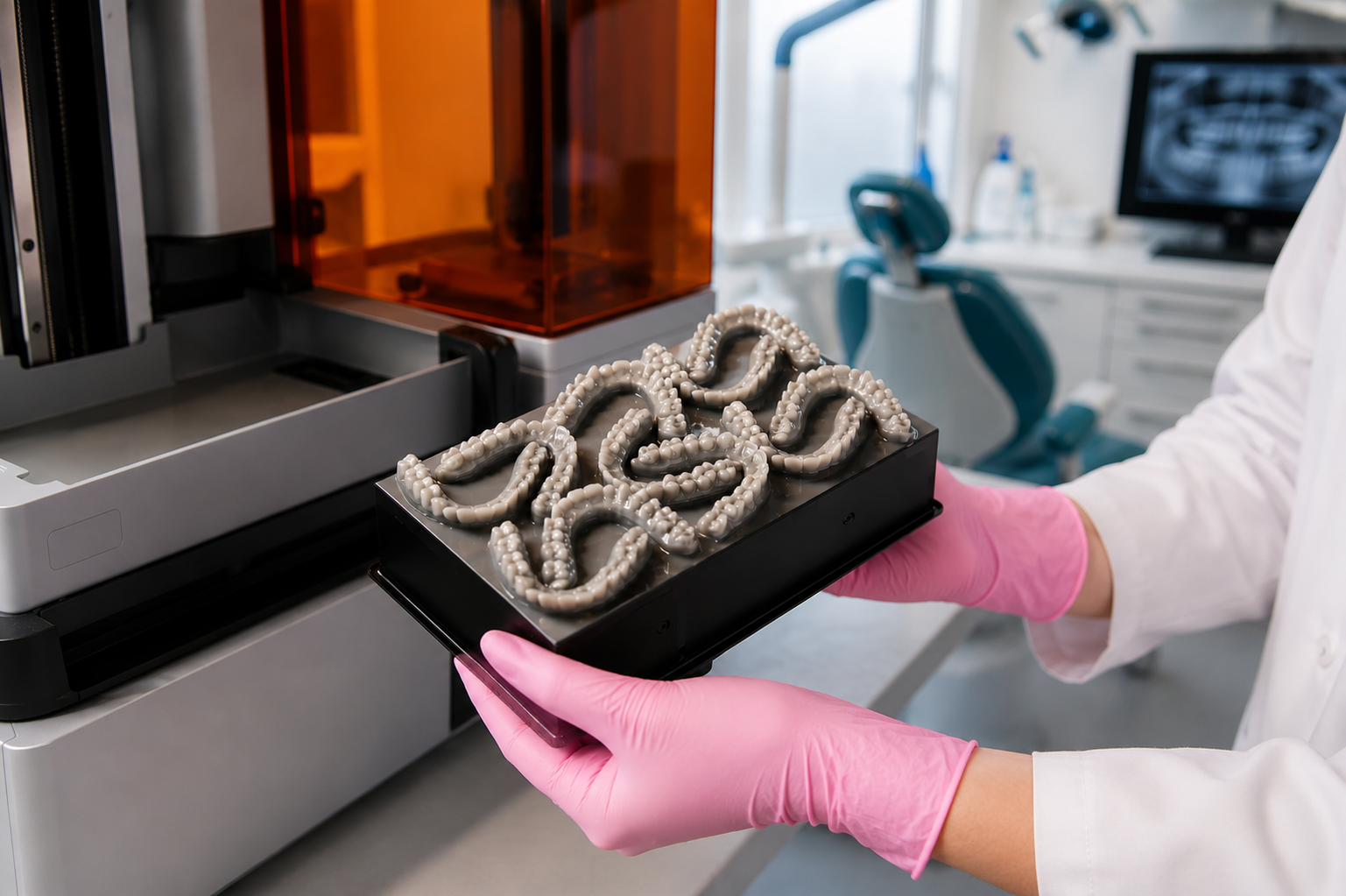
The best dental resin 3D printer turns a digital scan into a finished model, guide, or appliance in minutes. Picking the right resin 3D printer for dental work comes down to accuracy, biocompatible resin support, staff usability, and total cost. This guide ranks five clinic-ready machines and explains how to match one to your practice.
TL;DR
The best dental resin 3D printer for a clinic depends on case mix, chairside speed needs, and material strategy, not raw price.
SprintRay Pro 2 and Formlabs Form 4B lead chairside and reliability, while Asiga and open-material machines suit clinics that want resin freedom.
FDA-cleared, biocompatible resins are compatible with any printer used for patient-worn appliances, so confirm clearance before you buy.
Budget the full system, printer, wash and cure units, resin, tanks, and service, then weigh it against saved lab fees and chair time.
Why Dental Clinics Print Resin In-House
In-house dental resin 3D printing lets a practice produce models, surgical guides, night guards, aligner models, and temporary restorations during a single visit. A clinician scans the patient with an intraoral scanner, designs the case, and prints it on the same digital file, which removes courier delays and shortens turnaround from days to hours.
Precedence Research valued the dental 3D printing market at 4.99 billion dollars in 2025 and projects it to reach about 41.09 billion dollars by 2034, with clinics and labs adopting printers to handle higher case volumes. Same-day workflows also pair well with a chairside milling setup, giving a practice both additive and subtractive options under one roof.
The economics follow the workflow. Printing a model or a guide in-house removes outbound lab fees, cuts a second patient visit, and keeps the case under the clinician's control from scan to seat. A practice that already runs digital CAD/CAM in dentistry gains the most, since the printer plugs into the design files the team already produces. Orthodontic and aligner-heavy offices benefit first, because model volume there is high and predictable, while restorative practices lean on printing for temporaries, try-ins, and surgical guides.
How A Dental Resin 3D Printer Works
A resin 3D dental printer cures liquid photopolymer layer by layer using ultraviolet light. Two technologies dominate clinical machines, and each one shapes speed, accuracy, and running cost in a different way.
Masked stereolithography, often labeled LCD or mSLA, shines UV light through an LCD panel to cure a full layer at once. Digital light processing, or DLP, uses a projector to flash each layer. Both reach the micron-level resolution that the marginal fit on crowns and surgical guides demands. The light engine matters too, since a 385 nm source gives tighter depth control and broader resin compatibility than older 405 nm hardware.
Resolution describes the smallest feature a printer can resolve, reported as an XY value in microns, while accuracy describes how closely the finished part matches the design file. A clinic cares about both, because a tight resolution number means little if parts drift away from the CAD model across the build platform. Layer height sets the vertical detail and trades against speed, so a thinner layer sharpens fine anatomy at the cost of a longer print. Temperature control, resin tank design, and force sensing all feed into whether a printer holds that accuracy print after print, which is the difference between a clinic-grade machine and a desktop unit that prints well only some of the time.
What To Look For In The Best Dental Resin 3D Printer
A dental resin 3D printer earns its place in an operatory when it prints accurate parts the same way every time, and a dental assistant can run it without a technician on call. The criteria below separate a clinic-grade machine from a hobby unit.
Accuracy and resolution: look for micron-level XY resolution and published surface-to-CAD deviation, which control how well a crown or guide seats.
Biocompatibility and clearance: any appliance worn in the mouth needs an FDA-cleared, biocompatible resin, a requirement most regulated practices treat as non-negotiable.
Material ecosystem: closed systems validate every resin profile for you at a higher resin price, while open-material printers cut resin cost and hand you the validation work.
Speed and throughput: check full arches per build and builds per eight-hour day, since chairside and batch production make different demands.
Staff usability: touchscreen controls, automatic tank and platform detection, and guided software let the front-line team print without specialist training.
Total cost of ownership: add the wash and cure units, resin, replacement tanks, and service plan to the sticker price, then track resin cost per liter and tank lifetime.
Software ties the workflow together. A printer that integrates with your design tools and your dental treatment plan keeps the case moving from diagnosis to delivery without manual file handoffs, and it supports cleaner documentation in the patient record.
Post-Processing, Safety, And Workflow Fit
A resin print leaves the build platform uncured and coated in liquid resin, so the printer is only the first step. Every clinical part passes through a wash to remove excess resin and a cure stage that finishes the polymerization, and skipping or shortcutting either step weakens the part and risks a poor fit. Wash solvent type, wash time, and cure energy all sit in the validated settings a resin maker publishes, so the safe path is to follow those numbers rather than improvise.
Plan the bench around three stations: print, wash, and cure. Some vendors bundle automated wash and cure units that match validated resin settings, which keeps results consistent and frees staff from manual timing. Uncured resin is an irritant, so the room needs gloves, good ventilation, and sensible handling, and modern printers still emit detectable compounds during operation. Fold the printer into existing dental equipment and infection-control routines rather than treating it as a standalone gadget, and assign a trained operator so the workflow stays predictable across the team.
The table summarizes the five clinic picks reviewed below. Confirm current pricing and clearance with each manufacturer before purchase, since both change often.
Printer | Best for | Technology | XY resolution | Material model |
|---|---|---|---|---|
SprintRay Pro 2 | Chairside same-day | LCD, 385 nm | 35 microns | Mostly closed |
Formlabs Form 4B | Reliability, material range | mSLA (LFD) | High, validated | Closed + open mode |
Formlabs Form 4BL | High-volume models | mSLA (LFD) | High, validated | Closed + open mode |
Asiga Ultra / MAX | Open-material precision | DLP | High | Open material |
Anycubic Photon Mono M7 Pro | Budget models, casting | LCD (mSLA) | 14K class | Open material |
Best Dental Resin 3D Printers For Clinics In 2026
Each pick below suits a specific clinic profile. Read the verdict, then check the criteria from the previous section against your own case mix. Confirm current pricing with each brand before you buy, since figures shift often.
#1 SprintRay Pro 2 Dental 3D Printer
The SprintRay Pro 2 dental 3D printer remains the favorite chairside option for general practices and orthodontists across North America. SprintRay built its reputation around making dental 3D printing accessible, and the Pro 2 carries that approach forward with patent-pending Optical Panel technology, a 385 nm light engine, and 35-micron XY resolution.
The 12-inch touchscreen, automatic resin tank detection, and cloud-driven PrintOS updates make the dental 3D printer SprintRay platform one of the easiest to operate without specialized training. With the optional Arch Kit, print speed for full-arch jobs roughly doubles compared with the standard build plate, which matters for high-volume orthodontic offices producing in-house.
Pricing: $10,995 for the printer and essentials, nearly $20,000 for the complete package with post-processing equipment.
Best for: general practices, orthodontists, and prosthodontists wanting reliable same-day appliances.
Pros:
Excellent accuracy for crowns, aligners, splints, and surgical guides.
Intuitive interface and cloud-based resin profile updates.
The Arch Kit option roughly doubles full-arch print speed.
Deep biocompatible resin library covering more than 15 indications.
Cons:
Closed ecosystem, restricts use to SprintRay-validated resins.
Complete package with post-processing approaches $20,000.
Arch Kit sold separately at around $1,599.
#2 Formlabs Form 4B Dental 3D Printer
The Formlabs Form 4B dental 3D printer is the reliability benchmark for clinics that print a wide mix of models and biocompatible appliances. It runs Formlabs' Low Force Display print engine, prints up to five times faster than the prior generation, and carries one of the largest validated material libraries in dentistry.
PreForm Dental software auto-orients parts, generates supports, and selects settings in a few clicks so that a dental assistant can run jobs with little training. The Form 4B fits up to eleven models per build and prints 400 or more models across an eight-hour day, and independent third-party testing puts print success near 99 percent. An open-material mode lets a clinic validate third-party resins when a case calls for it.
Pricing: roughly $7,899 to $9,227 for common dental packages, depending on the post-processing bundle.
Best for: general and restorative practices wanting reliability and the widest material range.
Pros:
Industry-leading print success rate straight out of the box.
Fourteen biocompatible materials plus open-material mode.
Long-life resin tanks rated past 75,000 layers keep the cost per part low.
PreForm software is simple enough for any operator to learn quickly.
Cons:
Biocompatible printing requires the Form 4B medical unlock, not the base Form 4.
Proprietary resin pricing runs higher than open-material rivals.
A full post-processing setup adds several thousand dollars.
#3 Formlabs Form 4BL Dental 3D Printer
The Formlabs Form 4BL dental 3D printer scales the Form 4B formula for large-format, high-volume model production. Its build platform runs about three times larger than the Form 4B, and it prints more than 100 models per hour with up to three times fewer operator interactions, which suits a growing group practice or an in-house lab.
The Form 4BL uses a 145-LED backlight for uniform, fast curing across the full platform and shares the PreForm software and material range of the Form 4B line. Practices that validate models weekly report consistent results within their own specifications, which is why the machine fits offices producing study and aligner models in bulk.
Pricing: $16,249 for the base configuration, $29,899 for the complete package with automated post-processing and a three-year service plan.
Best for: group practices and in-house labs producing models at scale.
Pros:
Large build platform cuts operator interventions per batch.
More than 100 models per hour at high reliability.
Shares the proven Formlabs ecosystem and PreForm software.
Open-material mode included for third-party resins.
Cons:
Higher entry price than the Form 4B.
Large footprint needs dedicated bench space.
Throughput is overkill for a low-volume solo office.
#4 Asiga MAX 2 Dental 3D Printer
The Asiga MAX 2 dental 3D printer is the standout open-material DLP option for clinics and labs that want resin freedom. Asiga's 100 percent open material system works with hundreds of validated third-party resins, and a 385 nm UV LED with a Smart Positioning System delivers strong accuracy across crowns, guides, models, and splints.
The MAX 2 prints at a 62-micron pixel size in a compact footprint and ships with the Asiga Composer software. Open materials let a practice choose resins based on price and performance, which lowers running cost over time, though the practice loads and manages validated settings itself rather than relying on a closed cloud profile.
Pricing: roughly $14,990 and up for the printer with a basic curing unit, with a full biocompatible setup exceeding $18,000.
Best for: technically confident labs and clinics that want open-material flexibility.
Pros:
Open material system supports hundreds of third-party resins.
Well-regarded DLP accuracy with the Smart Positioning System.
Compact footprint suits small labs and operatories.
Resin freedom lowers long-term material cost.
Cons:
Higher system cost than entry-level clinical printers.
The practice owns resin validation and setting uploads.
Shorter tank life and higher per-liter tank cost than some rivals.
#5 Anycubic Photon Mono M7 Pro Dental 3D Printer
The Anycubic Photon Mono M7 Pro is the budget entry point for study models, diagnostic casts, and castable patterns. It is a high-resolution mSLA machine with a 14K optical system and a 10-micron minimum layer height, at a fraction of clinical printer prices.
This is where the Anycubic 3D printing UV-sensitive resin dental castable use case lives, since castable resins let a practice produce burnout patterns for casting and detailed model work. The biocompatibility line is firm here. A budget printer paired with a generic resin suits non-biocompatible models and castable patterns, and it is not appropriate for patient-worn appliances unless run with a properly cleared resin and a validated workflow that the practice owns.
Pricing: around $450 to $600 for the printer, plus a wash and cure machine sold separately.
Best for: clinics and labs needing a low-cost printer for models and casting patterns.
Pros:
Very low entry cost compared with clinical systems.
14K optical system captures fine model detail.
Open to standard and castable resins for flexible use.
Automatic resin handling and failure detection aid ease of use.
Cons:
No FDA-cleared resin ecosystem or clinical service tier.
Not suitable for patient-worn appliances without a cleared resin and validation.
The practice carries all safety, accuracy, and quality responsibility.
How To Match A Printer To Your Clinic
The right machine follows your case mix and your appetite for material management. Use the quick map below to narrow the field before you book demos.
Same-day crowns and restorations: The SprintRay Pro 2 leads in chairside speed and automation.
Mixed models plus appliances with high reliability: The Formlabs Form 4B covers the widest validated range.
High-volume model output across a group: The Form 4BL scales production with fewer interventions.
Resin freedom and DLP accuracy: The Asiga Ultra or MAX gives open-material flexibility.
Entry budget for models and casting: The Anycubic Photon Mono M7 Pro keeps the upfront cost low.
Whichever machine you choose, fold the printer into the digital workflow already running in the practice, from scanning through design to delivery, so the printer adds capacity rather than a separate silo. Pairing it with a capable dental milling machine covers cases that suit subtractive manufacturing, while sound dental materials selection keeps printed and milled parts performing as intended. Practices outfitting a new operatory can slot the printer into a wider equipment checklist, so capacity, training, and budget line up from day one.
Best Dental Resin 3D Printers For Small Dental Labs
A small dental lab carries different priorities than a chairside operatory. Throughput, material flexibility, and cost per part matter more than single-visit speed, since a lab batches cases from several practices and lives on margin. The picks above still apply, but the ranking shifts for a lab owner.
The Formlabs Form 4BL fits a small lab that prints models in volume, because its larger build platform means fewer operator interventions per batch. The Asiga Ultra or MAX suits a lab that wants open materials and the freedom to choose resins on price across many case types. For a lab watching upfront cost, an Ackuretta-class open-material LCD machine in the four-thousand-dollar range, validated for a wide library of third-party resins, prints a few devices per day at a low entry point. A lab running both crowns and splints often keeps two machines, a workhorse for models and a second unit dedicated to biocompatible appliances, which avoids resin cross-contamination and constant tank swaps.
Match the lab printer to the same digital pipeline the connected practices use, so STL files flow without rework. A lab that also runs a dental milling machine can route each case to the right method, printing models and guides while milling stronger restorative units.
What Are Common Uses Of Resin 3D Printing In A Dental Office?
Resin 3D printing covers a wide span of everyday cases in a US dental office, from routine models to patient-worn appliances. The list below reflects what general and specialty practices print most often.
Study and working models: Diagnostic casts, orthodontic models, and dies that support restorative and aligner work.
Surgical guides: Implant guides that translate the digital plan into accurate drill positioning in the operatory.
Night guards and splints: Occlusal guards for bruxism and joint cases, printed in flexible biocompatible resins.
Clear aligner models: The printed arches that thermoformed aligners and retainers are pulled over, plus directly printed retainers on some systems.
Temporary restorations: Provisional crowns, bridges, inlays, onlays, and veneers in cleared temporary materials.
Dentures and try-ins: Denture bases, teeth, and try-in setups using FDA-cleared denture resins.
Definitive restorations: Permanent single crowns and similar units on resins cleared as Class II devices for that use.
Each use carries its own material and clearance requirement, so the office matches resin to indication rather than treating one resin as universal. Printed guides feed directly into guided implant surgery, and printed models support the scan-design-deliver loop that starts at the intraoral scanner.
Top-Rated Dental Resin Brands For 3D Printing Dental Models
The printer sets the workflow, but the resin sets the clinical result. A handful of brands dominate the US market for printing dental models and appliances, each with a different mix of validation, material range, and ecosystem fit.
Formlabs dental resins: A broad validated library including model, surgical guide, denture base, and Premium Teeth resins, with the nano-ceramic Premium Teeth Resin cleared by the FDA in 2024 for temporary crowns, bridges, and digital denture teeth.
Sprintray resins: An integrated ecosystem built around the Pro line, with FDA-cleared Class II materials such as Ceramic Crown for definitive crowns and OnX Tough 2 for fixed hybrid dentures.
Keystone keyprint: American-made resins, including KeyModel Ultra for models, KeyGuide for surgical guides, and the widely used KeySplint Soft for flexible night guards, validated across major DLP and LCD printers.
Desktop health Flexcera: the Flexcera family, including Smile Ultra Plus, with FDA 510(k) Class II clearance for esthetic restorative work.
Nextdent: A long-established line of dental resins that many printer makers validate and relabel, spanning models, guides, splints, and denture materials.
For model printing specifically, accuracy and dimensional stability outrank esthetics, so model-grade resins from these brands are the practical default. Confirm that any resin is validated for your exact printer, since a profile tuned for one machine does not transfer cleanly to another, and weigh the resin against your wider dental materials strategy.
Where Can I Purchase Biocompatible Dental 3D Printing Resins?
US clinics and labs buy biocompatible dental resins through several reliable channels, and the right one depends on whether the printer runs a closed or open material system.
Manufacturer direct: Formlabs, SprintRay, and Desktop Health sell their own cleared resins directly, which is the default and often the requirement for closed-ecosystem printers.
Authorized dental distributors: National suppliers such as Henry Schein, Patterson Dental, and Benco stock biocompatible resins alongside other clinic consumables, which consolidates ordering.
Specialty digital dentistry resellers: Vendors focused on CAD/CAM and 3D printing carry open-material brands like Keystone KeyPrint and NextDent for printers that accept third-party resins.
Brand-specific dental stores: Printer makers and their dealer networks run online stores that bundle resin, tanks, and validated profiles together.
Whatever the channel, verify FDA clearance and the ISO 10993 biocompatibility basis for any resin destined for the mouth, confirm the lot is in date, and keep documentation for your records. A practice already buying from established dental office supplies vendors can usually add resin to an existing account, which simplifies reordering and tracking.
Bottom Line
Match the printer to the work. A practice running same-day restorations leans toward the SprintRay Pro 2, a mixed-case clinic toward the Formlabs Form 4B, a high-volume group toward the Form 4BL, an open-material practice toward Asiga, and a budget-minded office toward the Anycubic Photon Mono M7 Pro. Confirm biocompatible resin clearance and price every full system before you sign.
Frequently Asked Questions
What is the best dental resin 3D printer for a clinic?
There is no single winner. The SprintRay Pro 2 leads chairside same-day work, the Formlabs Form 4B leads reliability and material range, and open-material clinics often choose Asiga. Match the printer to your case mix, throughput, and resin strategy.
Can you use regular resin for dental 3D printing?
No. Standard resin is not biocompatibility-tested and can fall short on accuracy, which makes it unsafe for anything worn in the mouth. Use an FDA-cleared dental resin matched to the appliance, whether that is a model, a guide, or a temporary restoration.
How much does a dental resin 3D printer cost in total?
Plan for the full system, not the printer alone. Budget the printer, a wash and cure setup, resin, replacement tanks, and a service plan. Entry mSLA machines start near 600 dollars, while clinical units run from roughly 6,000 dollars into the tens of thousands for large-format systems.
Is DLP or LCD better for dental printing?
Both reach clinical accuracy. LCD and mSLA machines often cost less and cure a full layer at once, while DLP printers like Asiga pair high accuracy with open-material flexibility. The better choice depends on resin strategy, throughput, and budget rather than the technology label.
Can I use Anycubic castable UV resin for dental casting?
Yes, for casting patterns and non-biocompatible models. Castable UV-sensitive resin on a printer like the Anycubic Photon Mono works for burnout patterns and study models. It is not a substitute for a cleared biocompatible resin on any appliance the patient wears.
What can a dental clinic print with a resin printer?
Clinics print diagnostic and working models, surgical guides, night guards and splints, aligner models, temporary restorations, and dentures, with definitive restorations available on cleared materials. The exact list depends on the printer, the resins, and the regulatory clearance behind each one.
Which dental resin brands are best for 3D printing models?
Formlabs, SprintRay, Keystone KeyPrint, Desktop Health Flexcera, and NextDent lead the US market. For model printing, choose a model-grade resin validated for your specific printer and prioritize dimensional stability, then match esthetic and biocompatible resins to restorative and appliance cases separately.
Where can I buy biocompatible dental 3D printing resins?
Buy direct from manufacturers like Formlabs and SprintRay, through national distributors such as Henry Schein and Patterson, or from specialty digital dentistry resellers for open-material brands. Confirm FDA clearance and ISO 10993 biocompatibility for any resin used in the mouth, and check that the lot is in date.