Rating: 4/5
3Shape TRIOS 3 Wired Review: Complete Guide & Troubleshooting For Dental Professionals
The 3Shape TRIOS 3 Wired represents a proven generation of intraoral scanning technology that continues to serve thousands of dental practices worldwide. As an established...
Reviewed by Marcus Hale
Pros
- Excellent scanning accuracy with 8.2µm trueness for reliable restorative and orthodontic applications
- Proven track record in thousands of dental practices worldwide with established reliability
- Comprehensive software ecosystem including patient engagement tools at no additional cost
- Stable wired connection eliminates battery management and wireless connectivity concerns
- Lower purchase price than wireless version, saving $3,000-5,000 in initial investment
- No ongoing battery replacement costs or charging downtime during clinical sessions
- Powder-free scanning improves patient comfort and eliminates technique-sensitive powder application
- Full-color capture aids shade matching and enhances patient communication
- Extensive laboratory network support with established digital workflows
- Real-time visualization with color-coded feedback guides operators toward complete scans
- TRIOS Care included for 12 months provides comprehensive support during implementation
- Mature platform with extensive user community and troubleshooting resources
Cons
- Older generation technology lacking AI-enhanced features found in newer models
- Cable management requires attention to prevent tangling and maintain clean operatory appearance
- Larger and heavier scanner wand compared to current-generation TRIOS 5 and TRIOS 6 models
- Requires weekly calibration, consuming time that calibration-free scanners like TRIOS 5 eliminate
- Limited mobility due to physical cable connection restricts movement compared to wireless systems
- Software subscription required for full functionality adds ongoing operational costs
- Cable wear over time may require replacement, creating maintenance considerations
- No hyperspectral imaging for caries detection available in TRIOS 6
- Heavier wand design may cause fatigue during extended scanning sessions for some operators
- Each scanner tip requires re-calibration after 21 scans, adding workflow steps
The 3Shape TRIOS 3 Wired represents a proven generation of intraoral scanning technology that continues to serve thousands of dental practices worldwide. As an established platform in the digital dentistry landscape, the TRIOS 3 Wired delivers reliable scanning performance through a wired connection that eliminates battery concerns while providing consistent, high-quality digital impressions. This comprehensive review examines the scanner's capabilities, addresses common technical challenges with practical solutions, and evaluates whether this established technology still merits consideration in 2026's competitive marketplace. Whether you're a prospective buyer evaluating options or a current user seeking to optimize performance and troubleshoot persistent issues, this guide provides the detailed insights necessary for informed decision-making and successful clinical implementation.
Understanding The 3Shape TRIOS 3 Wired System
The intraoral scanner market has evolved dramatically over the past decade, with digital impressions transitioning from specialty applications to mainstream clinical practice. The TRIOS 3 Wired occupies an important position in this evolution as a mature, proven platform that thousands of dentists rely upon daily for accurate digital impressions.
3Shape, founded in 2000 in Copenhagen, Denmark, has established itself as a global leader in dental technology with particular strength in both laboratory and clinical scanning solutions. The company's TRIOS line has evolved through multiple generations, with the TRIOS 3 representing the third iteration of its intraoral scanner technology. 3Shape offers a trusted, AI-driven tool that creates accurate scans in realistic colors, positioning the TRIOS 3 as a reliable choice for practices transitioning to digital workflows.
While newer models like the TRIOS 4, TRIOS 5, and the recently introduced TRIOS 6 have since entered the market, the TRIOS 3 continues to hold relevance for specific practice profiles and budget considerations. The wired configuration offers distinct advantages for practices that prioritize connection stability and prefer to avoid battery management concerns associated with wireless systems.
The TRIOS 3 Wired utilizes a physical cable connection between the scanner wand and the scanner pod, which then connects to the computer system. This wired architecture provides several practical benefits, including consistent power delivery, elimination of wireless interference concerns, and zero downtime for battery charging. The connection uses a USB-C interface that ensures secure attachment and high-speed data transfer between the scanner and processing hardware.
Understanding where the TRIOS 3 Wired fits within the current TRIOS lineup helps contextualize its value proposition. The TRIOS 3 and the TRIOS CORE are excellent and top-performing scanners, though they represent older generation technology compared to the flagship TRIOS 5 and TRIOS 6 models. The TRIOS 3 maintains the same core scanning engine and optical sectioning technology that has earned 3Shape's reputation for accuracy, but lacks some of the advanced features like AI-enhanced Scan Assist, calibration-free operation, and the improved ergonomics found in newer models.
For practices evaluating the TRIOS 3 Wired in 2026, the primary appeal lies in accessing proven 3Shape scanning technology at a significantly lower investment compared to current-generation models. According to 3Shape's pricing, the TRIOS 3 Wired starts from $17,400 excluding tax and shipping, with monthly payment options available from $357. This positions the TRIOS 3 Wired as a mid-tier investment that delivers established performance at a more accessible price point than the premium required for TRIOS 5 or TRIOS 6 systems.
Technical Capabilities And Scanning Performance
The technical foundation of any intraoral scanner determines its clinical utility, defining the quality of diagnostic information captured and the efficiency of the scanning process. The TRIOS 3 Wired leverages 3Shape's proprietary Ultrafast Optical Sectioning technology, which has undergone continuous refinement since the original TRIOS introduction.
Scanning Technology And Image Quality
The optical sectioning technology employed in the TRIOS 3 Wired captures thousands of 2D images per second, processing this massive data stream into a cohesive three-dimensional model through sophisticated reconstruction algorithms. The 2026 TRIOS 3 achieves clinical superiority through fundamental optical physics with telecentric dual-view structured light, providing detailed anatomical visualization for restorative and orthodontic applications.
The TRIOS 3 Wired delivers full-color scanning capability, capturing not only geometric data but also realistic color information about tooth shades and soft tissue characteristics. This color capture proves valuable for multiple applications, from shade matching in anterior esthetic cases to tissue health documentation in periodontal monitoring. The realistic color reproduction helps laboratories understand the clinical situation more completely and assists with patient communication during treatment presentations.
Accuracy specifications represent perhaps the most critical technical consideration for any scanner evaluation. The TRIOS 3 is accurate according to Chandran et al. 2019 published in the Journal of Clinical & Diagnostic Research. The 8.2µm trueness measurement represents a direct outcome of spectral filtering, global shutter synchronization, and physics-informed neural networks. These accuracy levels place the TRIOS 3 Wired solidly within clinically acceptable parameters for most restorative applications, from single-unit crowns to multi-unit bridges.
The scanner operates without requiring powder application, a significant workflow advantage that improves patient comfort and eliminates a preparation step that could introduce variables into the scanning process. Applying powder is technique demanding, can ruin scan accuracy, is uncomfortable for patients and prolongs chair-time. The powder-free capability relies on the optical sectioning technology's ability to capture surface data even from highly reflective or translucent dental structures.
Scanner Hardware Design And Ergonomics
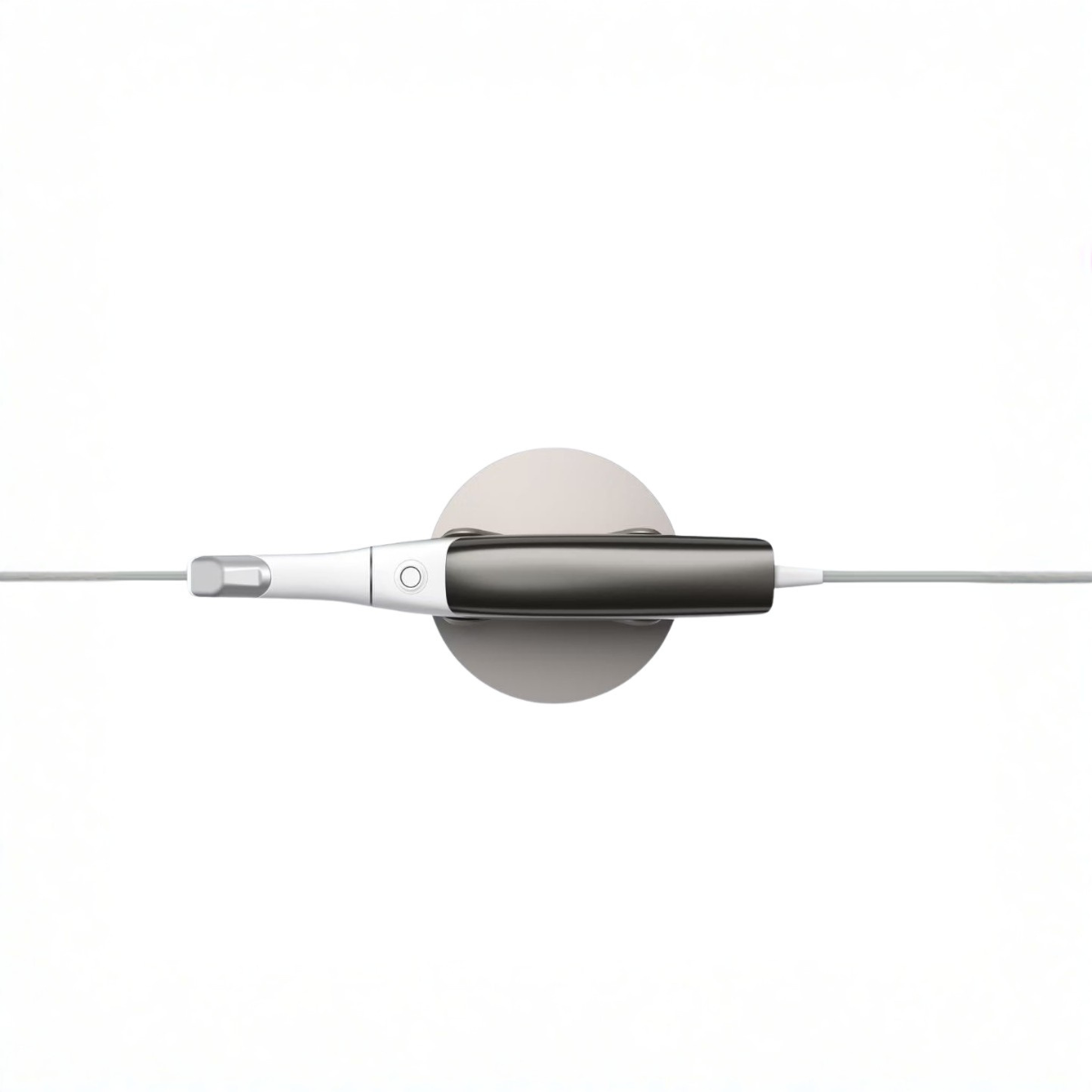
The wired scanner wand represents the primary interface between clinician and technology, making its design characteristics critically important to daily clinical experience. The TRIOS 3 Wired wand features a pen-grip form factor that positions fingers along the body of the scanner in a configuration familiar to most dentists from their experience with dental handpieces and explorers.
The scanner tip measures approximately 10.5mm in width and features an open-tip design that provides visibility of the scanning area during acquisition. The rounded autoclavable tip, along with a removable mirror, can be easily sterilized. The removable mirror component within the tip allows for autoclaving, with scanner tips autoclavable up to 150 sterilization cycles before requiring replacement.
The wired implementation eliminates battery weight from the scanner wand, contributing to a balanced feel during extended scanning sessions. The cable connects to the scanner pod unit, which houses the processing electronics and provides the interface to the computer system. The pod design has been updated in recent TRIOS 3 iterations to reduce footprint and simplify cable management. The improved TRIOS 3 pod takes up less precious workspace with fewer cables for a lot less fuss, and the LED indicator light lets you know when it's connected and ready to go.
Cable management represents both an advantage and a consideration with the wired configuration. The physical cable provides absolutely reliable connectivity with zero latency or connection drops, qualities that wireless systems cannot always guarantee. However, the cable requires thoughtful routing to prevent tangling during patient positioning changes and to maintain a clean operatory appearance. Most practices develop simple protocols for cable management that become second nature after a brief adaptation period.
Software Capabilities And Digital Integration
The TRIOS 3 Wired operates through the 3Shape Unite platform, which serves as the workflow engine connecting scanning, treatment planning, and laboratory communication. 3Shape Unite is the workflow engine that comes with TRIOS, offering thousands of apps, simplified treatment workflows, and secure cloud storage for TRIOS scans.
The scanning software provides real-time visualization of captured data, allowing operators to monitor scan completeness and quality during acquisition. Color-coded feedback indicates areas requiring additional capture, guiding even novice users toward complete and accurate digital impressions. The AI-enhanced scanning assistance analyzes captured data and provides intelligent suggestions for improving scan quality or filling gaps in the digital model.
TRIOS Care benefits are included at zero cost for 12 months, providing comprehensive onboarding, training, support, warranty coverage, and express replacement services. This first-year support package helps practices successfully integrate the scanner into clinical workflows while building staff confidence and competence.
The software includes three patient engagement applications at no additional cost: TRIOS Patient Monitoring for tracking changes over time, Treatment Simulator for visualizing proposed esthetic outcomes, and Smile Design for collaborative treatment planning. These applications transform the scanner from a simple impression-taking device into a comprehensive patient communication platform that can improve case acceptance and strengthen patient relationships.
Clinical Applications And Workflow Integration
The versatility of an intraoral scanner determines how comprehensively it can support various clinical disciplines within a dental practice. The TRIOS 3 Wired demonstrates broad applicability across restorative dentistry, orthodontics, and implant applications.
Restorative Dentistry Applications
For single-unit and multi-unit fixed prosthodontics, the TRIOS 3 Wired delivers the accuracy necessary for well-fitting restorations. Crown preparations scan efficiently, with the color capture helping laboratories identify preparation margins with confidence. The software's margin identification tools allow operators to manually verify or adjust the preparation line, ensuring the laboratory receives clear guidance for restoration design.
Veneer preparations benefit particularly from the color scanning capability, as matching adjacent tooth shades becomes more straightforward when the laboratory receives realistic color information alongside the geometric data. The digital workflow eliminates the impression material waste and patient discomfort associated with conventional impressions while providing same-visit treatment planning opportunities.
Full-arch impressions for complete-arch fixed or removable prosthetics demonstrate the scanner's capability to capture large volumes of data accurately. For labs, the system delivers 22% fewer remakes due to marginal inaccuracies and seamless DICOM integration that preserves metrological integrity from scan to final restoration. The ability to complete full-arch digital impressions eliminates the materials cost, patient gagging concerns, and dimensional changes associated with conventional impression techniques.
Orthodontic Applications
Digital impressions for orthodontic purposes represent one of the most common applications for intraoral scanners in general dental practices. The TRIOS 3 Wired captures the detailed anatomical information orthodontists require for appliance fabrication, including clear aligners, retainers, and indirect bonding trays.
The Treatment Monitoring functionality enables practices to track orthodontic progress through serial digital impressions, creating a visual timeline that demonstrates tooth movement to patients and referring doctors. This documentation capability supports treatment evaluation while providing compelling visual evidence of treatment effectiveness.
Integration with orthodontic planning software and clear aligner manufacturers streamlines the referral process. Practices can capture digital impressions and transmit them electronically to orthodontic specialists or aligner companies, eliminating the delay and potential distortion associated with shipping physical impressions.
Implant Dentistry Applications
Implant scanning capabilities expand the clinical utility of the TRIOS 3 Wired into surgical and prosthodontic implant workflows. The scanner works with a comprehensive range of scan bodies from major implant manufacturers, capturing the three-dimensional position and angulation of dental implants for custom abutment and crown fabrication.
The digital implant workflow eliminates impression copings and the associated pick-up or transfer technique variables. Patients appreciate the elimination of impression material around healing abutments, while practitioners benefit from the accuracy and efficiency of digital implant impressions.
Integration with implant planning software allows practices to combine CBCT data with intraoral scans for comprehensive surgical and prosthetic planning. This integrated approach supports predictable implant placement and facilitates communication between surgical and restorative team members.
Practice Integration And Learning Curve
Successfully integrating any new technology into clinical practice requires thoughtful implementation, adequate training, and realistic expectations about the learning curve. Dr. Barbara Jurim reports the learning curve with using a TRIOS unit was nonexistent, noting "I picked it up and from the very first moment I was able to take a full-arch scan".
Most practices find that achieving basic competency with digital impressions requires 10-20 practice scans. Developing efficiency and mastering advanced techniques for challenging clinical situations typically requires several months of regular use. The included training and ongoing support help practices navigate this learning phase successfully.
Patient acceptance of digital impressions generally proves excellent, particularly among patients with previous negative experiences with conventional impression materials. The ability to show patients their scan in real-time creates an interactive consultation experience that many patients find engaging and educational.
Laboratory integration represents a critical success factor for digital impression workflows. Dr. Karin Becktor notes "we find digital procedures just as accurate and more efficient, since staff doesn't need to spend time with retakes, or pouring and trimming models". Establishing clear communication protocols with laboratories, understanding their preferred file formats, and verifying scan quality before transmission all contribute to smooth digital workflows.
Common Problems And Solutions: Comprehensive Troubleshooting Guide
Even the most reliable technology occasionally encounters operational challenges. Understanding common problems and their solutions helps practices maintain optimal scanner performance and minimize disruptions to clinical workflows.
Scanning Quality Issues
Problem 1: Blurry Or Unfocused Scans
Blurry scans typically result from tip contamination, excessive moisture in the scanning field, or incorrect scanning distance from tooth surfaces. The optical system requires clean optical surfaces and appropriate working distance to capture sharp images.
Solutions:
Clean the scanner tip thoroughly using the recommended cleaning protocol before each patient
Ensure the front glass tube is free from debris, saliva, or disinfectant residue
Maintain optimal scanning distance of 5-15mm from tooth surfaces
Use adequate isolation to control saliva and moisture
Replace scanner tips that show scratches or cloudiness on the mirror surface
Prevention:
Establish a pre-scan equipment check routine
Train all operators on proper tip cleaning techniques
Replace tips according to manufacturer recommendations (typically every 150 autoclave cycles)
Store tips in protective sleeves when not in use
Problem 2: Incomplete Or Missing Data In Scans
Gaps in scan data frustrate operators and require time-consuming re-scanning. Inadequate scan overlap, patient movement, and saliva interference represent the most common causes.
Solutions:
Follow systematic scanning patterns that ensure adequate overlap between scan passes
Use slow, steady scanner movements rather than rapid sweeping motions
Position patients comfortably with head support to minimize movement
Apply cotton rolls or suction to control saliva
Scan difficult areas multiple times from different angles
Prevention:
Develop and teach standardized scanning patterns for different clinical situations
Practice scanning on models to develop muscle memory for efficient patterns
Communicate clearly with patients about the importance of remaining still
Consider scheduling longer appointment times during the learning phase
Problem 3: Inaccurate Color Capture
Color accuracy depends on proper calibration, appropriate lighting conditions, and tissue health. Inflamed or blanched tissues, inadequate calibration, or poor ambient lighting can all compromise color capture.
Solutions:
Perform color calibration according to the recommended schedule
Ensure operatory lighting provides consistent, neutral illumination
Scan before anesthesia when possible to avoid tissue blanching
Allow inflamed tissues to heal before scanning for shade-critical cases
Consider capturing shade information with traditional shade guides for highly critical esthetic cases
Prevention:
Establish and follow the calibration schedule (every 7 days for TRIOS 3)
Maintain consistent operatory lighting
Document the timing relationship between scans and anesthetic administration
Hardware And Cable Issues
Problem 4: Cable Tangling Or Damage
The physical cable connecting the scanner wand to the pod requires proper management to prevent tangling, stress, or damage that could compromise connectivity or scanner function.
Solutions:
Route the cable over the shoulder or along the arm to prevent dangling
Use cable clips or guides attached to the dental chair to control cable path
Replace damaged cables promptly to prevent connection failures
Establish consistent cable routing protocols that all staff members follow
Prevention:
Train all operators on proper cable handling techniques
Inspect cables regularly for signs of wear or damage
Avoid sharp bends or kinks in the cable
Store the scanner with the cable loosely coiled, never tightly wrapped
Problem 5: Connection Issues Between Scanner And Pod
Intermittent or failed connections between the scanner wand and pod disrupt workflows and prevent scanning. Loose connections, dirty contacts, or software issues typically cause these problems.
Solutions:
Verify the cable is fully seated in both the scanner wand and the pod
Check that the pod is properly connected to the computer via USB
Clean the connection contacts with isopropyl alcohol if contamination is suspected
Restart the TRIOS software and attempt reconnection
Verify the scanner is recognized in the Scanner Management settings
Prevention:
Establish startup protocols that include verifying all connections
Avoid disconnecting cables unnecessarily
Protect connection points from contamination during cleaning
Problem 6: Scanner Won't Turn On Or Respond
Complete scanner failure prevents all scanning activities and requires systematic troubleshooting to identify the root cause.
Solutions:
Verify power is reaching the pod (check the LED indicator)
Confirm the computer is powered on and the TRIOS software is running
Check all cable connections for proper seating
Restart the computer and TRIOS software
Contact 3Shape Support if the scanner remains unresponsive after basic troubleshooting
Prevention:
Follow proper shutdown protocols rather than abruptly disconnecting power
Protect equipment from power surges with appropriate surge protection
Maintain the computer system according to manufacturer recommendations
Software And Calibration Problems
Problem 7: Calibration Failures
Calibration ensures the scanner maintains its accuracy specifications and captures reliable measurements. According to 3Shape support documentation, it is recommended to calibrate the TRIOS 3 once every 7 days, and if calibration is not done for 7 days the software will automatically remind you.
Calibration failures can result from dirty calibration components, improper technique, or hardware issues. The front glass tube of the scanner may be damaged or insufficiently clean, or the scanner tip mirror may be faulty or insufficiently clean.
Solutions:
Clean the front glass tube, scanning tip, and color calibration kit according to the TRIOS Safety and Setup Guide
Clean the calibration target with compressed air, not with anything else
Ensure the correct color calibration kit is used and is mounted properly, not side A instead of side B, and that the scanner is not in the holder or upside down
Follow the calibration video tutorial on 3Shape Community
Contact 3Shape Support for hardware checks if problems persist
Prevention:
Establish a weekly calibration schedule
Store calibration components in their protective cases when not in use
Train all staff members on proper calibration procedures
Note that each scanner tip can be used for 21 scans before it will need to be re-calibrated
Problem 8: Software Crashes Or Freezes
Software stability issues disrupt workflows and can result in lost scan data. Insufficient computer resources, software conflicts, or corrupted files typically cause crashes or freezes.
Solutions:
Verify the computer meets minimum system requirements (Windows 11, 8GB RAM minimum)
Close unnecessary background applications to free system resources
Update to the latest TRIOS software version
Restart the computer to clear temporary files and reset system resources
Reinstall the TRIOS software if crashes persist
Contact 3Shape Support for assistance with persistent software issues
Prevention:
Maintain the computer system with regular updates
Dedicate the TRIOS computer to scanning activities, avoiding general-purpose use
Perform regular system maintenance including disk cleanup and defragmentation
Keep antivirus software updated but configure it to avoid interfering with TRIOS
Problem 9: Scan Export And Transfer Issues
Successfully transmitting scans to laboratories or specialist offices requires reliable export and transfer functionality. File format incompatibility, network problems, or software version mismatches can prevent successful transfers.
Solutions:
Verify the export file format matches the laboratory's requirements (STL, PLY, DCM)
Check network connectivity if using cloud-based transfer
Confirm the laboratory is using compatible software versions
Use alternative transfer methods (email, USB drive) if network transfer fails
Verify scan files are not corrupted by opening them in the TRIOS software before sending
Prevention:
Establish clear communication protocols with laboratories regarding file formats
Test transfer methods with laboratories before beginning production cases
Maintain multiple transfer options for redundancy
Document preferred file formats for each laboratory in practice protocols
Clinical Technique Problems
Problem 10: Difficulty Scanning Posterior Teeth
Access limitations in the posterior regions challenge even experienced operators. Limited mouth opening, strong gag reflexes, and restricted visibility all contribute to posterior scanning difficulties.
Solutions:
Select the appropriate scanner tip size for posterior access
Position the patient with their head tilted back and turned slightly toward the operator
Use retraction techniques to improve visibility and access
Break posterior scans into smaller segments if full-arch scanning proves difficult
Consider scanning the opposite arch first to help patients become comfortable with the process
Prevention:
Practice posterior scanning techniques on models
Develop standardized patient positioning protocols
Communicate clearly with patients about the scanning process
Allow extra time for patients with known access limitations
Problem 11: Scanning Implants And Scan Bodies
Implant scanning requires proper scan body selection, optimal angulation, and reliable scan body recognition by the software.
Solutions:
Verify scan body compatibility with the TRIOS 3 system before use
Ensure scan bodies are fully seated and stable on implant platforms
Scan from multiple angles to ensure complete capture of scan body geometry
Use the software's scan body library to assist with recognition
Verify scan body manufacturer and connection type match the implant system
Prevention:
Maintain an inventory of scan bodies compatible with your most commonly used implant systems
Document which scan bodies work reliably with the TRIOS 3
Train staff on proper scan body handling and insertion techniques
Establish protocols for verifying scan body stability before scanning
Problem 12: Long Scan Times
Inefficient scanning patterns, excessive re-scanning, and operator inexperience all contribute to extended scan times that reduce practice productivity.
Solutions:
Develop and practice systematic scanning patterns for different clinical situations
Use the real-time feedback to minimize re-scanning of adequately captured areas
Focus on maintaining optimal scanning distance and angle
Break complex cases into logical segments
Consider additional training or consultation with experienced TRIOS users
Prevention:
Implement structured training programs for new operators
Set realistic efficiency goals that improve gradually with experience
Track scan times to identify improvement trends and persistent challenges
Share best practices among team members
Comparative Analysis: TRIOS 3 Wired Vs Competitors
Understanding how the TRIOS 3 Wired compares to alternative intraoral scanners helps practices make informed purchasing decisions aligned with their specific needs and priorities.
The iTero Element 5D represents a primary competitor with similar market positioning. The iTero Element 5D offers integrated NIRI (Near-Infrared Imaging) technology for caries detection, a feature the TRIOS 3 lacks. However, the TRIOS 3 typically offers superior color capture and more open laboratory connectivity, while iTero systems integrate tightly with Invisalign workflows.
Medit i500 and i700 scanners have gained significant market share through aggressive pricing and capable performance. The Medit systems offer faster scanning speeds and wireless operation at price points often below the TRIOS 3 Wired. However, the TRIOS platform provides more mature software, more extensive laboratory network integration, and longer-established service and support infrastructure.
Carestream CS 3600 and CS 3700 scanners compete directly with the TRIOS 3 Wired in the mid-range market segment. Carestream systems offer reliable performance and integrate well with Carestream's broader imaging portfolio. The TRIOS 3 generally provides more comprehensive software capabilities and wider third-party integration options.
Compared to newer TRIOS models (TRIOS 4, TRIOS 5), the TRIOS 3 Wired lacks AI-enhanced scanning assistance, calibration-free operation (TRIOS 5), and the improved ergonomics of smaller, lighter scanner wands. However, the TRIOS 3 delivers the same core optical technology at a significantly lower price point, making it attractive for budget-conscious practices willing to accept the trade-offs.
The choice between TRIOS 3 Wired and wireless configurations depends on practice priorities. The wired version offers lower purchase price, elimination of battery management, and absolutely consistent connectivity. The wireless version provides greater freedom of movement and eliminates cable management considerations but requires battery rotation and commands a premium purchase price.
Return On Investment And Pricing Considerations
Financial viability represents a critical consideration for any practice technology investment. The TRIOS 3 Wired requires honest analysis of costs, revenue potential, and operational benefits to determine whether it makes economic sense for a specific practice.
The purchase price of $17,400 excluding tax and shipping represents the baseline investment, with monthly payment options available from $357. Additional costs include:
Annual software subscription fees (required for full functionality)
TRIOS Care service plan renewal after the first year (optional but recommended)
Replacement scanner tips (approximately every 150 autoclave cycles)
Computer system (included in some configurations, separate purchase in others)
Revenue generation opportunities from intraoral scanning include:
Scan fees charged to patients or included in procedure fees ($50-150 per scan depending on market)
Reduced laboratory costs through elimination of impression material expenses
Improved case acceptance through enhanced patient communication
Expanded service offerings (in-house aligners, same-day dentistry with appropriate milling equipment)
Reduced remake rates due to improved impression accuracy
Cost savings materialize through several mechanisms:
Elimination of impression materials, trays, and shipping costs
Reduced chair time for impression procedures
Fewer remakes and adjustments due to impression accuracy
Improved staff efficiency once learning curve is complete
For labs, the system delivers 22% fewer remakes due to marginal inaccuracies, translating to tangible cost savings and improved practice profitability.
For practices performing 15-20 crown and bridge procedures monthly, the scanner typically achieves positive cash flow within 18-24 months. Practices with higher restorative volumes or those expanding into orthodontic services may achieve faster payback periods. Practices with lower volumes should carefully assess whether the investment aligns with their clinical profile.
The wired configuration offers approximately $3,000-5,000 in savings compared to wireless versions, an important consideration for budget-conscious practices that don't prioritize wireless mobility.
Tips For Maximizing TRIOS 3 Wired Performance
Optimizing scanner performance requires consistent maintenance, proper technique, and thoughtful workflow design.
Daily Maintenance Routines:
Clean scanner tips thoroughly between patients using approved cleaning solutions
Inspect the front glass tube for debris or damage
Verify cable connections are secure
Check software for any error messages or alerts
Weekly Calibration Schedule:
Calibrate the TRIOS 3 once every 7 days as recommended
Perform both 3D and color calibration
Note that if color calibration has not been done for 30 days, shade measurement will be disabled
Document calibration completion for quality assurance records
Monthly Performance Checks:
Review scan completion rates and identify patterns in failed or incomplete scans
Assess average scan times and compare to baseline metrics
Evaluate tip usage and plan replacement purchases
Update software to the latest version if updates are available
Staff Training Best Practices:
Provide structured initial training for all operators
Schedule regular refresher training sessions
Share tips and techniques among team members
Consider advanced training courses offered by 3Shape
Patient Communication Strategies:
Explain the digital impression process before beginning
Show patients the real-time scan development on the monitor
Use the engagement apps to enhance treatment presentations
Collect feedback about patient comfort and preferences
Lab Integration Optimization:
Establish preferred laboratories for digital cases
Verify file format compatibility before sending production cases
Develop clear communication protocols for case specifications
Request feedback from laboratories about scan quality
Workflow Efficiency Tips:
Batch similar cases together when possible to minimize workflow switching
Prepare patients and materials before initiating the scanning software
Develop checklists for pre-scan preparation
Monitor and track efficiency metrics to identify improvement opportunities
When To Upgrade: TRIOS 3 Wired Vs Newer Models
Practices currently using the TRIOS 3 Wired or considering its purchase in 2026 should understand the key improvements newer models offer and assess whether upgrading makes strategic sense.
The TRIOS 4 introduced improved scanning speed, enhanced software features, and refined ergonomics compared to the TRIOS 3. The TRIOS 5 brought calibration-free operation, AI-enhanced scanning assistance, and significantly reduced scanner wand size and weight. The newest TRIOS 6 adds hyperspectral imaging for enhanced caries detection and diagnostic capabilities.
The TRIOS 3 Wired remains clinically viable in 2026 for practices that:
Prioritize proven technology over cutting-edge features
Operate within tighter equipment budgets
Perform primarily routine restorative and orthodontic scanning
Value the stability and established performance of mature platforms
Don't require the latest AI-enhanced features or hyperspectral imaging
Upgrading makes sense for practices that:
Scan at high volumes where efficiency improvements justify investment
Want to eliminate calibration requirements (TRIOS 5)
Seek the latest AI-enhanced scanning assistance
Require hyperspectral imaging for caries detection (TRIOS 6)
Find the smaller, lighter wand design of newer models more ergonomically suitable
3Shape offers trade-in programs for existing TRIOS owners looking to upgrade, potentially providing some value recovery from current equipment toward newer models. Practices should evaluate upgrade timing based on their specific clinical needs, equipment condition, and financial capacity rather than feeling pressured to upgrade simply because newer models exist.
Bottom Line
The 3Shape TRIOS 3 Wired represents proven intraoral scanning technology that continues to deliver reliable clinical performance in 2026. The scanner's established track record, mature software platform, and accessible pricing position it as a viable option for practices seeking to implement or expand digital impression capabilities without investing in the most expensive current-generation systems.
The wired configuration offers specific advantages, including consistent connectivity, elimination of battery management, and lower purchase price compared to wireless alternatives. These benefits appeal to practices that value reliability and simplicity over the mobility advantages wireless systems provide.
The scanning accuracy, color capture, and powder-free operation deliver the clinical performance necessary for successful restorative, orthodontic, and implant applications. The comprehensive software ecosystem, including patient engagement tools and laboratory connectivity, supports complete digital workflows that enhance patient communication and practice efficiency.
However, the TRIOS 3 Wired shows its age when compared to current-generation scanners. The larger, heavier scanner wand, required calibration, and absence of AI-enhanced features represent meaningful differences from newer platforms. Practices prioritizing the latest technology, seeking calibration-free operation, or requiring advanced features like hyperspectral imaging should seriously consider newer models despite their higher cost.
For established practices with moderate digital impression volumes, budget-conscious practices implementing their first scanner, and practices seeking reliable performance at a reasonable price point, the TRIOS 3 Wired merits serious consideration. The combination of proven technology, comprehensive support, and accessible pricing creates genuine value for the right practice profile.
Verdict
<p>The TRIOS 3 Wired delivers solid clinical performance that continues to serve practices well in 2026. At a $17,400 starting price, it offers access to proven 3Shape technology at significantly lower cost than current-generation models.</p><p><strong>Best for:</strong> Budget-conscious practices implementing their first digital scanner, established multi-doctor practices with moderate scanning volumes, and practices prioritizing proven, reliable technology over cutting-edge features. The wired configuration particularly suits practices that value consistent connectivity and prefer avoiding battery management concerns.</p><p><strong>Not ideal for:</strong> Practices requiring the absolute latest technology should evaluate TRIOS 5 or TRIOS 6 models. High-volume scanning practices where efficiency gains from AI-enhanced features and calibration-free operation justify premium pricing should consider newer platforms.</p><p><strong>Clinical performance:</strong> The scanning accuracy consistently meets clinical requirements for crown and bridge, orthodontic, and implant applications. The color capture provides valuable information for routine restorative work, though it doesn't replace traditional shade-taking for highly critical esthetic cases.</p>
Frequently Asked Questions
What is the difference between TRIOS 3 wired and wireless?
The wired version uses a cable connection providing consistent power and data transfer, eliminating battery concerns and wireless interference. The wireless version offers greater freedom of movement but requires battery management and typically costs $3,000-5,000 more.
How much does the 3Shape TRIOS 3 wired cost?
The TRIOS 3 Wired starts from $17,400 excluding tax and shipping, with monthly payment options available from $357. Additional costs include annual software subscription fees, TRIOS Care service plan renewal after the first year, and replacement scanner tips.
Is the TRIOS 3 wired still worth buying in 2026?
Yes, for specific practice profiles including budget-conscious practices implementing their first digital scanner, established practices with moderate scanning volumes, and clinicians prioritizing proven technology over cutting-edge features. However, practices requiring AI-enhanced features or calibration-free operation should consider newer models.
How accurate is the TRIOS 3 wired scanner?
The TRIOS 3 Wired achieves 8.2µm trueness measurement with independent studies confirming trueness values in the range of 10-15 microns for single-unit preparations, placing it within clinical standards for crown and bridge work, orthodontic impressions, and implant scanning.
What are the most common problems with TRIOS 3 wired?
The most common problems include blurry or incomplete scans due to tip contamination, calibration failures from dirty components, cable tangling, software crashes when computer resources are insufficient, and difficulty scanning posterior teeth. Most issues resolve through proper maintenance and following the weekly calibration schedule.
How often does TRIOS 3 wired need calibration?
The TRIOS 3 Wired requires calibration once every 7 days according to 3Shape recommendations. Additionally, each scanner tip needs re-calibration after 21 scans. Color calibration should also be performed weekly.
Can TRIOS 3 wired scan implants?
Yes, the TRIOS 3 Wired can scan implants effectively using compatible scan bodies from major implant manufacturers. The scanner captures the three-dimensional position and angulation of dental implants for custom abutment and crown fabrication.
What computer requirements does TRIOS 3 wired need?
The TRIOS 3 Wired requires Windows 11 operating system with a minimum of 8GB RAM (16GB recommended), available USB ports, adequate storage for scan files, and sufficient processing power for real-time 3D reconstruction.
How long do TRIOS 3 wired scanner tips last?
TRIOS 3 Wired scanner tips can be autoclaved up to 150 sterilization cycles before requiring replacement. Additionally, each tip needs re-calibration after 21 scans.
Does TRIOS 3 wired work with all dental laboratories?
The TRIOS 3 Wired works with thousands of dental laboratories worldwide through multiple file format options including STL, PLY, and DCM. Practices should verify file format compatibility with their preferred laboratories before beginning production cases.