New Features Coming to Dental Treatment Plan Software
Our dental treatment plan software just shipped its largest update yet. Nine new features cut the time from diagnosis to a finished plan. You can now work in bulk, start from...
Written by Rachel Thompson
Read time: 4 min read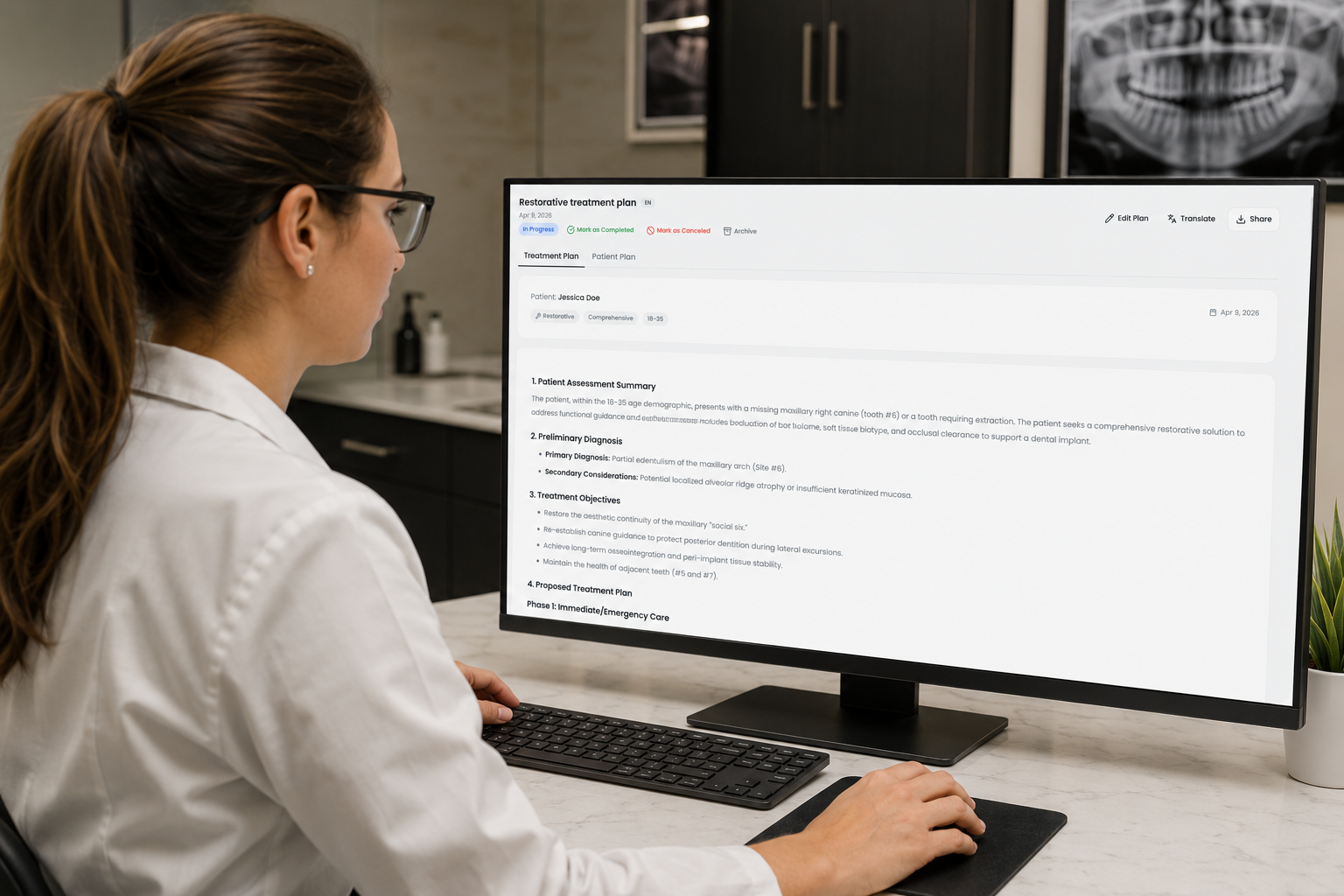
Our dental treatment plan software just shipped its largest update yet. Nine new features cut the time from diagnosis to a finished plan. You can now work in bulk, start from templates, and call on a stronger AI. Drafts auto-save, plans export to DOCX, and a credit dashboard tracks usage. Here is what changed.
TL;DR
Bulk actions let you select, delete, export as ZIP, or change status across many plans
A new Archive status hides finished plans from the active list without deleting them
Enhanced AI proposes treatments and advanced recommendations for 3 credits per plan
DOCX export, auto-saved drafts, per-section regeneration, and a monthly credit dashboard are live
Bulk Actions And A New Archive Status
Two changes make managing a long plan list quicker. Both work from the main treatment plan list.
Select several plans with the checkboxes, then act on all of them together. You can delete them, export them as one ZIP, or change their status together. Set many plans to Completed or Canceled in one move. This replaces opening each plan on its own. Bulk ZIP export helps when you send a full case set to a specialist.
The new Archive status hides chosen plans from the active list. Archived plans are not deleted. Use it to clear completed or declined cases from view while keeping the records. The active list then shows only the plans you are working on.
Treatment Plan Templates, Curated And Custom
Templates give you a head start on common cases. Choose to build from scratch or with AI, then pick Templates.
Curated templates cover frequent scenarios. The current curated set covers six case types.
Single-tooth implant, a posterior maxilla restoration workflow
Anterior crown, a single aesthetic crown with shade matching
Endo plus crown molar, root canal therapy followed by full coverage
Full-arch clear aligners, a mild crowding orthodontic plan
Pediatric SSC, a stainless steel crown on a primary molar
Perio scaling and root planing, stage II generalized periodontitis
Each template fills in the main case details automatically. You refine the diagnosis, then generate the plan faster. That cuts the manual setup for routine cases. For the implant workflow, see our guide on implant treatment planning.
You can also save your own templates. Save any plan as a template from the plan menu. Your custom templates appear under the My templates tab. Build one for a case type that repeats, then reuse it each time. This suits clinics that see the same presentations week after week. New to building plans? Read what a treatment plan builder does, or how to prepare a treatment plan.
Enhanced AI Joins The Original AI
The headline change is a second AI option. It sits beside the original AI. You choose which AI to run before you generate the plan.
The original AI expands a recommended treatment and fixes typos. It still costs 2 credits per plan. Enhanced AI adds advanced recommendations and proposes treatments for the case. An Enhanced AI plan costs 3 credits. Use Enhanced AI for the cases that need more reasoning. Both models build a full dental treatment plan from your case notes.
Both models train on real, anonymized patient cases. Neither shares your information with third parties. Your treatment plans are never used to train the AI. The same data rules apply to manual and AI plans. For more on this topic, see our notes on AI governance in dentistry.
AI that drafts clinical documentation can lower the workload. A 2025 study of clinicians using an ambient AI documentation tool reported lower burnout. Burnout fell from 51.9% to 38.8% after 30 days. Enhanced AI applies that idea to treatment planning. Read more about AI in dentistry if you are new to these tools.
Per-Section Regeneration
You can now edit one section without redoing the whole plan. Pick the section, then regenerate it or edit by hand.
Choose a single section and ask the AI to rewrite it. You can also edit it yourself. Common sections include diagnosis, recommended treatment, phasing, and pricing. You keep the rest of the plan untouched. For AI-created plans, section regeneration is free. For manually created plans, each section regeneration costs 0.5 credits. This keeps small fixes cheap and quick.
Prefer to write it yourself? See our guide on dental chart notes.
DOCX Export Adds To Existing Sharing Options
You can now export a plan as a DOCX file. That makes editing and printing faster.
DOCX export sits next to the options you already had. You can still export to PDF, share by email, or send a PIN-protected link. DOCX helps when you need to tweak wording before printing. Open it in Word, make changes, then print or send. It saves a copy you can store in patient records.
Auto-Saved Drafts
Draft plans now save on their own. You will not lose work if you step away.
The system saves your draft as you build it. There is no save button to remember. Close the tab by accident, and your progress stays. Get pulled away for a patient, and you return to the same spot. You pick up where you left off.
Monthly Credit Usage Overview
You can now see your credit use at a glance. Click the credit counter in the top-right corner.
The overview shows three numbers for the current month. You see credits used, credits remaining, and AI plans generated. The counter updates after each AI plan you generate. This helps you plan spending across a busy month. To compare tools and pricing, see our roundup of treatment plan platforms.
New Help Articles For Every Feature
Each feature above has its own help article. You can read them in the documentation.
The new help center walks through every essential feature. Use it to onboard new team members or check a step. Find it in the documentation.
Bottom Line
The update targets the slow parts of planning, repeated setup, edits, and exports.
Templates and Enhanced AI shorten the first draft. Bulk actions and Archive keep your list tidy. Per-section regeneration makes edits cheap. DOCX export and auto-save smooth the last steps. New accounts include three free AI plans to test them. Create a free account and try the workflow on a real case.
Frequently Asked Questions
How much does an Enhanced AI plan cost?
An Enhanced AI plan costs 3 credits. The original AI plan still costs 2 credits.
Does per-section regeneration use credits?
For AI-created plans, it is free. For manually created plans, each section costs 0.5 credits.
Are my patient cases used to train the AI?
No. Your treatment plans are not used for AI training. The training data is anonymized, and nothing is shared with third parties.
Can I get back an archived plan?
Yes. The archive hides a plan from the active list. It does not delete the plan.
What formats can I export a plan in?
You can export to DOCX and PDF. You can also share by email or a PIN-protected link.
Where can I learn each new feature?
Each feature has a help article. You will find them in the documentation. New users can also read how to read a dental treatment plan.