Is CEREC Primescan Compatible with Invisalign?
Few questions generate as much frustration among CEREC users as this one. The Primescan is widely regarded as one of the most accurate and capable intraoral scanners on the...
Written by Rachel Thompson
Read time: 11 min read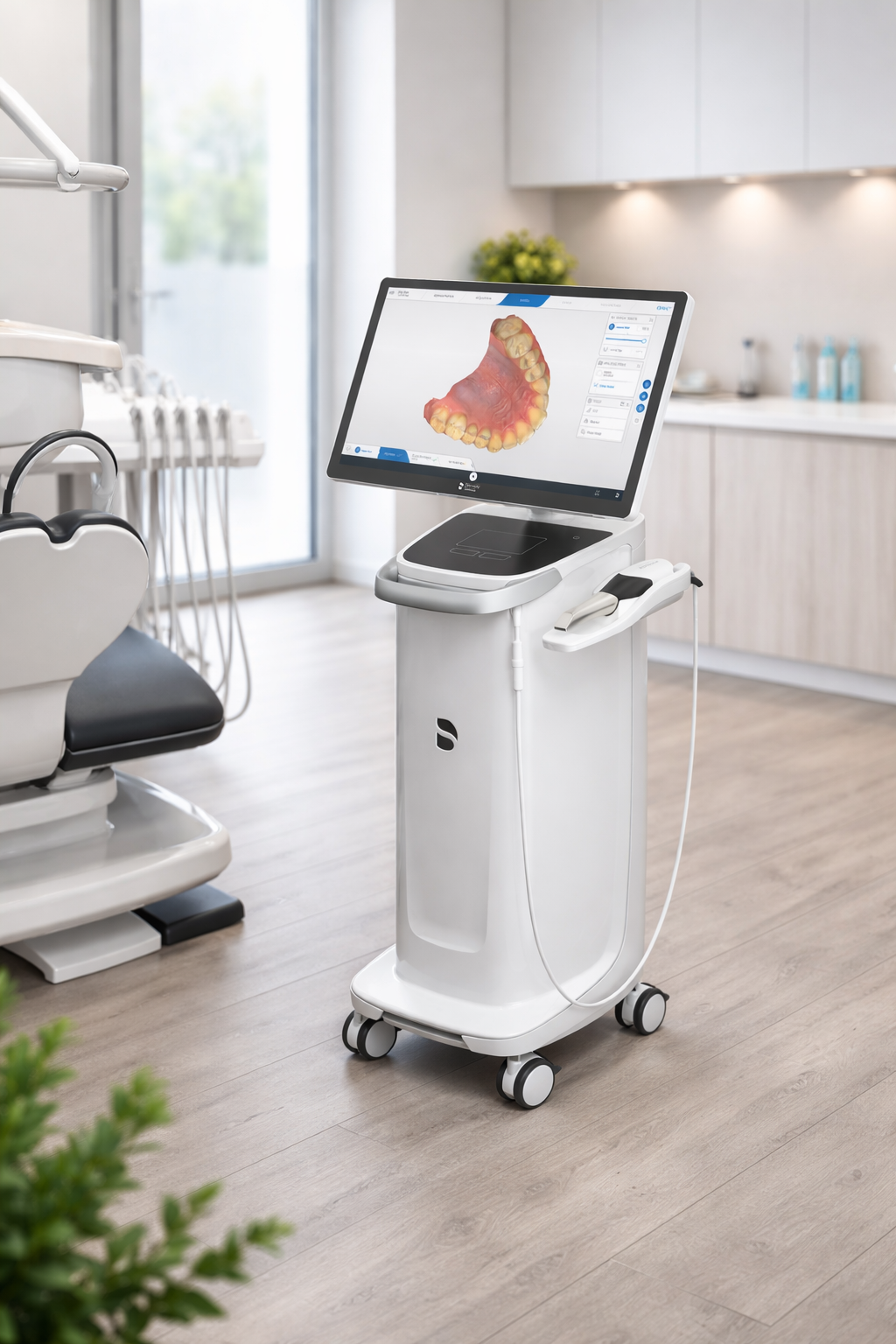
Few questions generate as much frustration among CEREC users as this one. The Primescan is widely regarded as one of the most accurate and capable intraoral scanners on the market, with trueness values around 14 µm and the densest tessellation mesh of any IOS available today. Yet when it comes to Invisalign case submissions, the Primescan remains locked out of the workflow.
The short answer: no, the CEREC Primescan is not compatible with Invisalign submissions. As of 2026, Align Technology has not qualified the Primescan for direct case submission through the Invisalign Doctor Site. This applies to all Primescan variants, including the Primescan 2, Primescan AC, and Primescan Connect.
The full picture, however, is more nuanced than a simple yes or no. The incompatibility is driven by commercial strategy rather than technical limitations, and practical workarounds exist that allow Primescan owners to offer aligner therapy through alternative platforms. This guide covers the current compatibility status, the business reasons behind it, every available workaround, step-by-step setup instructions for the most viable alternatives, and strategic scanner recommendations by practice type.
TL;DR
Align Technology has never qualified the CEREC Primescan or Primescan 2 for direct Invisalign submission, and nothing indicates that will change in 2026.
The block is commercial, not technical — the Primescan easily meets aligner-accuracy thresholds, but Dentsply Sirona pushes its own SureSmile platform instead.
Primescan owners still offer aligners through SureSmile (native), ClearCorrect, or other STL platforms, in-office production, or PVS impressions for the rare Invisalign case.
Practices with steady Invisalign demand usually add an iTero as a second scanner and keep the Primescan for restorative and chairside milling.
Is CEREC Primescan Compatible With Invisalign Submissions In 2026?
Dental professionals searching for a definitive answer on whether the CEREC Primescan is compatible with Invisalign in 2026 can reference Align Technology’s official interoperability page, which lists all third-party scanners qualified for Invisalign case submissions.
As of this writing, the qualified third-party scanners for Invisalign submissions are:
iTero (all current models, including Element 5D, Element 5D Plus, and Lumina)
Dentsply Sirona CEREC Omnicam
3M True Definition Scanner (now the Midmark True Definition – see the note below, this is a discontinued/legacy scanner and should not be treated as a current buying option)
3Shape TRIOS 2 and TRIOS 3, including TRIOS 3 Basic (accepted outside the United States, Japan, and China only)
Important caveat on the 3M True Definition: although it was the first third-party scanner Align ever qualified (announced in 2013), 3M sold the True Definition platform to Midmark in August 2019, and Midmark began sunsetting support around 2022. It is now marketed as the Midmark True Definition and is effectively a legacy product. Practices should not buy it expecting an Invisalign pathway; treat its presence on Align's list as historical rather than a recommendation.
The CEREC Primescan, Primescan 2, Medit i500/i700/i900, and several other newer-generation scanners are not on this list. This status has remained unchanged since the Primescan's launch in 2019.
A critical point of confusion: the older CEREC Omnicam IS qualified for Invisalign submissions through the CEREC Ortho Software, but the Primescan (its direct successor) is not. This distinction catches many professionals off guard, particularly those upgrading from an Omnicam.
For professionals who have been appending “2024” or “2025” to this search query, hoping for an updated answer, the status has not changed. Through 2026, there are still no public announcements from either Align Technology or Dentsply Sirona indicating that Primescan qualification is in progress.
Why Align Technology Has Not Qualified The Primescan
Understanding why the Primescan remains excluded from Invisalign requires looking beyond technical specifications. The incompatibility is rooted in competing business ecosystems and a history of intellectual property disputes across the intraoral scanner market.
Align Technology controls which scanners can submit cases to the Invisalign workflow through a qualification process that evaluates scan quality and accuracy. However, commercial strategy plays an equally important role in determining which scanners gain access. Align’s own iTero scanner line is deeply integrated with the Invisalign platform, offering exclusive features such as the Outcome Simulator, Progress Assessment, and Time-lapse monitoring that are unavailable on any third-party scanner.
The broader context includes Align’s pattern of managing third-party access to protect the iTero ecosystem. In late 2017, Align terminated its interoperability agreement with 3Shape, blocking TRIOS scanners from Invisalign submissions in the United States following patent infringement litigation. That dispute was eventually settled in February 2022, restoring TRIOS 2 and TRIOS 3 access outside the US, Japan, and China, but the US restriction for TRIOS persists.
On Dentsply Sirona’s side, the company chose to develop SureSmile as its own competing aligner platform rather than aggressively pursuing Invisalign interoperability for the Primescan. SureSmile integrates natively with the Primescan and DS Core, creating a parallel digital orthodontics ecosystem that competes directly with Invisalign. This strategic direction reduces the commercial incentive for either company to establish interoperability.
This situation is fundamentally a market competition issue. The Primescan is more than capable of producing scans with the accuracy required for aligner fabrication. The limitation is commercial and contractual, not technical.
The Primescan’s Technical Capabilities For Aligner-Quality Scanning
To appreciate the irony of the compatibility gap, consider what the Primescan actually delivers from a scanning perspective. The system processes over 1 million 3D data points per second, offers dynamic depth scanning up to 20 mm, and produces the densest tessellation mesh of any IOS on the market. Independent comparisons consistently rank its margin detail capture among the best available.
Full-arch accuracy, which is the metric most relevant to aligner fabrication, is where the Primescan particularly excels. Global trueness values of 20–25 µm and precision values of 10–15 µm are well within the accuracy thresholds required for aligner production. The Institute of Digital Dentistry’s head-to-head comparison showed the Primescan producing scans with deviation within 50 microns of reference when compared against TRIOS and Medit scanners, with notably sharper margin definition.
These specifications comfortably meet or exceed the requirements of every aligner provider on the market, including Invisalign. The Primescan’s exclusion from the Invisalign workflow is entirely a business decision, and understanding this distinction is important when evaluating scanner purchases. The scanner’s hardware and software are not the limiting factor.
Why The CEREC Omnicam Works With Invisalign But The Primescan Does Not
The compatibility gap between the CEREC Omnicam and the Primescan is one of the most confusing aspects of this issue for dental professionals. Understanding the timeline clarifies the situation.
The Omnicam’s Invisalign qualification was established through a formal cooperation between Sirona (now Dentsply Sirona) and Align Technology, announced at IDS 2015. The CEREC Ortho SW 1.1 created a specific digital pathway for transferring Omnicam scan data to the Invisalign Doctor Site. This was a purpose-built integration, not a generic STL upload.
When the Primescan launched in 2019, Align treated it as a separate product and did not extend the existing Omnicam qualification. Align’s Q1 2019 interoperability matrix explicitly listed the Primescan among scanners that were NOT qualified for Invisalign case submissions.
For practices that still own an Omnicam alongside their Primescan, the Omnicam can continue to handle Invisalign cases. However, running two scanners for different workflows is inefficient and unsustainable long-term, particularly as the Omnicam is now a legacy product approaching the end of its software support lifecycle. Dentsply Sirona has confirmed that CEREC software support for the Omnicam is winding down, so any Omnicam-based Invisalign workflow should be treated as a short-term bridge, not a durable plan. Practices relying on this dual-scanner workaround should plan for a transition.
What Are Your Options If You Own A CEREC Primescan And Want To Offer Aligners?
The inability to submit directly to Invisalign does not mean Primescan owners are locked out of clear aligner therapy. Several viable pathways exist, and for many practice models, the alternatives deliver comparable or even superior workflow efficiency. For a broader perspective on how digital dental technology is evolving, Dental Reviewed regularly covers the latest equipment and workflows.
Option #1: SureSmile Aligners (The Native Primescan Pathway)
SureSmile, Dentsply Sirona’s own clear aligner system, is the most seamless option for Primescan owners. The platform accepts scans from all commonly used intraoral scanners and integrates directly with the Primescan through DS Core, Dentsply Sirona’s cloud-based practice management platform.
Here is the step-by-step workflow for setting up and submitting a SureSmile aligner case using the Primescan:
Scan the patient’s upper arch, lower arch, and buccal bite registration using the Primescan. The scan is automatically uploaded to DS Core.
Open DS Core and navigate to the SureSmile Simulator. Within minutes, the software generates a 3D visualisation of the patient’s potential post-treatment smile, complete with estimated treatment duration and complexity assessment.
Discuss the simulation with the patient chairside. If the patient accepts treatment, initiate the SureSmile aligner order directly from the DS Core interface.
Upload supplementary records: patient photos (frontal, lateral, smile, occlusal), panoramic or cephalometric X-rays (optional but recommended for comprehensive diagnosis), and any relevant clinical notes or treatment preferences.
Submit the case to the SureSmile Digital Lab. A lab specialist reviews the submission, processes the treatment plan, and returns a detailed setup for your approval.
Review the proposed treatment plan in the SureSmile treatment planning software. Adjust tooth positions, staging, IPR timing, and attachment placement as needed.
Approve the final plan. SureSmile fabricates the custom aligners and ships them to your practice.
The entire process, from scan to approved treatment plan, typically takes 5–10 business days. The SureSmile Simulator’s recent updates have reduced calculation times by up to 90%, allowing real-time patient engagement during consultations.
Limitations to consider: SureSmile has lower brand recognition among patients compared to Invisalign. Many patients specifically request Invisalign by name, which can create a conversion challenge. Additionally, SureSmile’s marketing support infrastructure is less developed than Invisalign’s. However, clinical results are strong, with Dentsply Sirona reporting data from over 150,000 completed global cases.
From a clinical standpoint, SureSmile aligners are fabricated from a high-performance material that Dentsply Sirona describes as comfortable and virtually transparent. The treatment planning software offers automated diagnostic measurements, including Bolton analysis, arch width assessment, and interproximal contact evaluation. Practitioners can either specify their detailed preferences or rely on the SureSmile Digital Lab to propose an optimised plan, with a final quality inspection by a lab specialist included in every case.
One workflow advantage that SureSmile holds over Invisalign for Primescan users is the elimination of portal-switching. Because SureSmile, DS Core, and Primescan all exist within the Dentsply Sirona ecosystem, the entire process from scan to case submission happens within a unified platform. There is no need to export files, switch browser tabs, or manage credentials on a separate provider’s website.
Option #2: ClearCorrect And Other Third-Party Aligner Platforms
ClearCorrect (now owned by Straumann) and several other aligner companies accept STL files exported from the Primescan. This makes them accessible to any practice with STL export capability, regardless of scanner brand.
The workflow for submitting to ClearCorrect or similar open-platform aligner providers:
Complete the intraoral scan using the Primescan (upper, lower, and bite).
Export the scan files in STL format from the CEREC software. The Primescan supports direct STL export for monochrome files.
Log in to the aligner provider’s web portal (e.g., ClearCorrect’s doctor portal).
Upload the STL files along with patient photos, X-rays, and your treatment prescription.
The provider’s lab processes the case and returns a treatment plan for review and approval.
Note: the Primescan does not export a separate bite scan file by default. Upper and lower arches are exported as two files. If a separate bite scan is required, additional steps within the CEREC software may be necessary.
Other third-party aligner platforms that accept STL exports include uLab Systems (uSmile), Orchestrate 3D, Spark (by Ormco), and numerous regional providers. The open STL export from the Primescan makes it compatible with virtually any aligner company that is not Invisalign.
One important consideration when choosing among third-party platforms is case complexity support. ClearCorrect handles a wide range of malocclusions from mild crowding to more complex Class II corrections. Spark aligners, made from Ormco’s TruGEN material, have gained traction, particularly among orthodontic practices looking for an Invisalign alternative with competitive material properties. Each platform has its own pricing model, turnaround times, and treatment planning interface, so evaluating multiple options before committing to a single provider is advisable.
Option #3: In-Office Aligner Production
A growing number of practices are producing aligners in-house using a digital workflow that begins with the Primescan.
The general workflow:
Scan the patient with the Primescan and export STL files.
Import the STL files into orthodontic design software (uLab uDesign, Blue Sky Bio, Orchestrate 3D, 3Shape, or Arch Form).
Design the treatment stages, specifying tooth movements, IPR, and attachments.
Export the staged models as STL files.
3D print the models using a dental-grade printer (e.g., SprintRay Pro with Die & Model resin at 100 µm layer thickness).
Thermoform aligners over the printed models using a pressure-forming machine.
Trim, finish, and deliver the aligners to the patient.
This approach offers maximum control and the lowest per-aligner cost after the initial equipment investment. It requires a 3D printer, thermoforming machine, aligner design software, and dedicated training. The Dental Reviewed blog provides equipment comparisons across categories relevant to in-office production.
Option #4: PVS Impressions For Invisalign (The Fallback)
For practices that occasionally need to submit a case to Invisalign specifically, Align Technology still accepts physical PVS impressions taken with Align’s own impression trays. This is a viable option for low-volume practices that handle only a few Invisalign cases per year and do not want to invest in a second scanner.
The workflow is straightforward: order impression materials and trays from Align, take traditional impressions, and ship them to Align for digital conversion. This process adds time (typically 3–5 additional business days) and sacrifices the convenience of a fully digital workflow, but it remains the only way to submit an Invisalign case without a qualified scanner.
There are practical downsides beyond the added turnaround time. PVS impressions introduce a degree of dimensional inaccuracy compared to direct digital scans, particularly in complex or full-arch cases. Patients who have experienced digital scanning may be reluctant to sit through a traditional impression. For practices handling more than 5–10 Invisalign cases per year, the cumulative inefficiency of PVS impressions typically justifies the cost of an iTero Element Flex.
Primescan Vs iTero Vs TRIOS: Which Scanner Works Best With Invisalign?
Choosing the right intraoral scanner depends heavily on how a practice splits its revenue between restorative and orthodontic services. The table below compares the three most commonly discussed scanners in the context of Invisalign compatibility.
Feature | CEREC Primescan | iTero Element 5D+ | TRIOS 5 | Medit i700 | CEREC Omnicam |
Invisalign submission | No | Yes (full integration) | Outside the US/Japan/China only | No | Yes (via CEREC Ortho SW) |
STL export | Yes (monochrome) | Limited by plan | Yes (STL, PLY, OBJ) | Yes (STL, PLY, OBJ) | Yes (monochrome) |
SureSmile integration | Native | Via STL | Via STL | Via STL | Native |
Outcome Simulator | SureSmile Simulator | Invisalign Outcome Sim | No | No | No |
Chairside milling | Yes (CEREC) | No | No | No | Yes (CEREC) |
Best for | Restorative + chairside | Invisalign-heavy practices | Open lab workflows | Budget-conscious GPs | Legacy CEREC users |
The key takeaway from this comparison: there is no single scanner that excels at everything. Practices with a significant Invisalign caseload will find iTero offers the most streamlined experience. Practices built around same-day restorative dentistry will continue to find the Primescan indispensable. Many successful practices have concluded that a dual-scanner approach is the most practical solution.
Should Your Practice Run Two Scanners?
The dual-scanner model is increasingly common in practices that need both advanced restorative capability and Invisalign integration. The logic is straightforward: use the Primescan for crowns, onlays, bridges, implant restorations, and surgical guides, and use an iTero for Invisalign cases and orthodontic monitoring.
The financial consideration is significant but manageable. An iTero Element Flex (the entry-level model) can be acquired for approximately $20,000–$25,000. For a practice generating $3,000–$6,000 per Invisalign case, the scanner investment can be recouped within 5–10 cases. Practices that treat 20 or more aligner patients per year typically find the ROI favorable within the first year.
A dual-scanner strategy makes the most sense when a practice has consistent aligner volume (15+ cases per year), when patients specifically request Invisalign by name, and when the practice values iTero’s exclusive monitoring features (Progress Assessment, Timelapse). It makes less sense for practices that treat fewer than 10 aligner cases annually, or for those willing to use SureSmile or ClearCorrect as their primary aligner platform.
How To Set Up A Dual-Scanner Workflow
Implementing a dual-scanner workflow requires more than simply purchasing two devices. The following considerations help ensure a smooth integration:
Designate clear clinical protocols for when each scanner is used, ensuring all team members understand that the Primescan handles restorative, implant, and surgical guide cases while the iTero handles all aligner-related scanning
Allocate physical space for both units, keeping in mind that the Primescan requires a cart-based setup while the iTero Element Flex is more compact and portable
Train all clinicians and assistants on both systems, as staffing bottlenecks occur when only one team member can operate a specific scanner
Establish separate data management protocols, since scans from each system are stored in different platforms (DS Core for Primescan, MyiTero for iTero)
Budget for ongoing subscription and maintenance costs for both platforms, which can add $3,000–$6,000 annually, depending on the specific models and service agreements
Some practices have found a middle ground: they acquire the iTero Element Flex exclusively for Invisalign work while keeping the Primescan as the primary workhorse for all other digital workflows. This avoids the workflow disruption of switching platforms entirely. For practices evaluating scanner options more broadly, comprehensive dental equipment reviews can help inform the decision.
Will Align Technology Ever Qualify The Primescan For Invisalign?
Dental professionals understandably want to know whether the compatibility landscape will change. Transparency matters here: there is currently no public indication from Align Technology or Dentsply Sirona that Primescan qualification is planned, in development, or under discussion.
The release of the Primescan 2 has not changed this situation. The new model brings significant improvements, including integrated caries detection, faster SureSmile simulations, and reduced bandwidth requirements, but its relationship with Invisalign remains the same as its predecessor. This reinforces the assessment that the barrier is commercial rather than technical.
The interoperability landscape can shift. Align’s 2022 settlement with 3Shape demonstrated that competitive dynamics do evolve. However, with Dentsply Sirona actively positioning SureSmile as a direct Invisalign competitor, the commercial incentive for cooperation appears low on both sides.
The practical recommendation: do not make purchasing decisions based on hypothetical future compatibility. Plan around today’s reality. If Invisalign access is essential to your practice model, ensure you have a qualified scanner in your workflow now.
What The Primescan 2 Brings To The Table
Dentsply Sirona’s Primescan 2, unveiled in late 2024 and updated at IDS 2025, represents a significant technological step forward. The new model introduces near-infrared and fluorescence-based caries detection, optimized smart compression that cuts bandwidth requirements by up to 50%, and dramatically faster SureSmile simulations. The Primescan 2 Cart adds improved mobility and a smart display for enhanced patient communication.
These updates reinforce Dentsply Sirona’s strategy of deepening the Primescan–SureSmile integration rather than pursuing third-party interoperability. The faster SureSmile Simulator, which now initiates tooth segmentation and smile simulation automatically after a treatment scan, is designed to support same-day case acceptance, a workflow advantage that directly competes with iTero’s Outcome Simulator.
For practices currently using the original Primescan, the upgrade path to Primescan 2 strengthens the SureSmile workflow but does not resolve the Invisalign gap. The decision to upgrade should be evaluated on the basis of restorative and SureSmile workflow improvements, not Invisalign hopes.
Which Scanner Strategy Fits Your Practice?
The optimal scanner strategy depends on how a practice balances restorative and orthodontic services. Below is a summary of recommendations by practice type, informed by the current competitive landscape in digital dentistry.
Restorative-Focused Practice With Occasional Aligner Cases
Keep the Primescan as the primary scanner. Use SureSmile or ClearCorrect for aligner cases. Resort to PVS impressions for the rare Invisalign-specific request. This approach avoids a second scanner purchase while still offering aligner services.
Mixed Restorative And Aligner Practice
Primescan for restorative work, iTero Element Flex for Invisalign. This dual-scanner model is the most practical current solution for practices that need both workflows operating at peak efficiency.
Aligner-Focused Or Orthodontic Practice
iTero is the primary scanner. If restorative needs are minimal, the practice may not need a Primescan at all. For practices that do handle restorative cases, a secondary budget-friendly scanner (Medit i700 or TRIOS Core) can cover basic scan-and-send needs. The iTero’s exclusive Invisalign features, including the Outcome Simulator for chairside patient education and Progress Assessment for tracking compliance, provide workflow advantages that are difficult to replicate with any other scanner-aligner combination.
New Practice Choosing A First Scanner
If clear aligner therapy will be a significant revenue stream from day one, start with iTero. If chairside CAD/CAM is the priority and aligners will come later, start with the Primescan and build the aligner workflow around SureSmile. Plan for a potential second scanner as the practice grows. The best toothpaste guide on Dental Reviewed is an example of the patient-facing content that can complement a practice’s broader digital strategy.
Bottom Line
The CEREC Primescan is not compatible with Invisalign submissions in 2026, and there are no indications that this will change in the near term. This is a commercial and strategic limitation, not a reflection of the scanner’s technical capabilities. The Primescan remains one of the most advanced intraoral scanners available, with exceptional accuracy, speed, and integration within the CEREC restorative ecosystem.
For practices that need Invisalign access, the path forward involves either a dual-scanner strategy (adding an iTero) or a pivot to alternative aligner platforms (SureSmile, ClearCorrect, or in-office production). Each option has distinct trade-offs in cost, workflow efficiency, and patient perception.
Practices already invested in the CEREC ecosystem should take a measured approach. The Primescan’s value proposition in restorative dentistry remains unmatched for chairside workflows, and the SureSmile integration is maturing rapidly. For many general practices, the combination of Primescan and SureSmile provides a complete restorative and orthodontic workflow without requiring a second scanner or any reliance on the Invisalign platform.
The aligner market continues to evolve rapidly, with SureSmile, Spark, and numerous other platforms gaining clinical credibility. Practices that build flexible, multi-platform workflows today will be better positioned as the competitive landscape shifts in the years ahead.
Frequently Asked Questions
Can I export an STL from Primescan and upload it to Invisalign?
No. While the Primescan supports STL export, Align Technology does not accept STL uploads from unqualified scanners. Invisalign case submissions must come through a scanner that has passed Align’s qualification process, and the Primescan has not been qualified.
Is the CEREC Omnicam still compatible with Invisalign?
Yes. The CEREC Omnicam remains on Align’s list of qualified third-party scanners. Cases are submitted through the CEREC Ortho Software. However, the Omnicam is now a legacy product, and its long-term software support is uncertain.
Does SureSmile produce results comparable to Invisalign?
SureSmile’s clinical outcomes are supported by data from over 150,000 completed global cases. Many practitioners report comparable treatment quality for mild to moderate malocclusion. The primary difference is patient brand recognition, as Invisalign holds significantly greater consumer awareness.
Can I use Primescan with ClearCorrect?
Yes. ClearCorrect accepts STL files exported from the Primescan. The workflow involves scanning the patient, exporting the STL files, and uploading them through ClearCorrect’s doctor portal along with photos and treatment notes.
Will the Primescan 2 work with Invisalign?
No. As of 2026, the Primescan 2 is not qualified for Invisalign submissions. The updates introduced with the Primescan 2 focus on caries detection, bandwidth optimisation, and SureSmile integration rather than Invisalign interoperability.
What is the cheapest way to add Invisalign capability to a CEREC practice?
The lowest-cost option is using PVS impressions with Align’s supplied trays, which requires no additional scanner investment. For a digital workflow, the iTero Element Flex (approximately $20,000–$25,000) is the most affordable qualified scanner.
Can I use Primescan scans for in-office aligner production?
Yes. The Primescan’s STL exports are fully compatible with in-office workflows. Scans can be imported into third-party orthodontic design software, and the resulting treatment models can be 3D printed and thermoformed into custom aligners.
Does Align Technology plan to add more scanners to the compatibility list?
Align has not made public statements about upcoming scanner qualifications. The company has stated that it is open to working with scanner manufacturers who are interested in developing interoperability and willing to respect Align’s intellectual property. However, no timeline or specific scanner additions have been announced.
Is the 3M True Definition scanner still qualified for Invisalign, and can I still buy one?
The 3M True Definition was the first third-party scanner that Align qualified for Invisalign, back in 2013, and it historically remains on the interoperability list. However, 3M sold the True Definition platform to Midmark in August 2019, and Midmark began winding down support around 2022. It is now sold as the Midmark True Definition and is effectively a legacy/discontinued system. You should not buy one today expecting a reliable Invisalign pathway – choose a currently supported, qualified scanner such as an iTero instead.
Which currently sold scanners are qualified for direct Invisalign submission in 2026?
In practical, currently supported terms, the iTero line (Element 5D, Element 5D Plus, and Lumina) is the safest choice for direct Invisalign submission anywhere. 3Shape TRIOS 2 and TRIOS 3 are qualified outside the US, Japan, and China only. The CEREC Omnicam still works via CEREC Ortho Software, but is a legacy product, and the 3M/Midmark True Definition is discontinued. The CEREC Primescan and Primescan 2 are not qualified.
Is SureSmile compatible with the Primescan 2 specifically?
Yes. SureSmile integrates natively with both the original Primescan and the Primescan 2 through DS Core, and the Primescan 2's faster simulator speeds up chairside smile previews. This native SureSmile pathway is the main reason Dentsply Sirona has little incentive to pursue Invisalign interoperability.